2026 में सबसे अच्छा डिजिटल सर्टिफिकेट सॉफ़्टवेयर (Free और Paid की तुलना)
2026 में सत्यापन योग्य डिजिटल सर्टिफिकेट जारी करने के लिए सबसे अच्छे सॉफ़्टवेयर की तुलना करें — डिज़ाइन फ्लेक्सिबिलिटी, PDF + Open Badge आउटपुट, वेरिफिकेशन, और कीमत।
 लेखक: Nacho Coll
 Nacho founded Badges Ninja to make issuing verifiable digital credentials as simple as a single API call — Open Badge v2.0 badges and certificates, minted, hosted, and verifiable without standing up your own issuer infrastructure.
“डिजिटल सर्टिफिकेट सॉफ़्टवेयर” में ज़्यादातर खरीदार जितना सोचते हैं, उससे कहीं ज़्यादा तरह के टूल्स आते हैं। एक तरफ Canva जैसा डिज़ाइन टूल और नामों की एक spreadsheet है — फ्लेक्सिबल, सस्ता, लेकिन बिल्कुल unverifiable। दूसरी तरफ enterprise credentialing platforms हैं, जहाँ कीमत देखने से पहले ही एक sales call करनी पड़ती है। ज़्यादातर training providers, bootcamps, और certification bodies को इन दोनों के बीच का कोई टूल चाहिए होता है: ऐसा जिससे बना सर्टिफिकेट लोग सच में trust करें, बिना किसी enterprise contract के।
यह comparison उन सॉफ़्टवेयर पर नज़र डालता है जिन्हें लोग वाकई 2026 में सर्टिफिकेट जारी करने के लिए consider करते हैं — Badges Ninja, Sertifier, Accredible, Certifier, और “खुद डिज़ाइन करो” वाला Canva-plus-manual-process तरीका — और इन्हें एक खास खरीदार के लिए rank करता है: एक ऐसा प्रोग्राम जो साल में करीब 10,000 से कम सर्टिफिकेट जारी करता है, और enterprise procurement budget के बजाय training या ops budget से काम कर रहा है।
“डिजिटल सर्टिफिकेट सॉफ़्टवेयर” को असल में क्या करना चाहिए
टेबल से पहले, यह साफ़ समझ लेना ज़रूरी है कि एक असली सर्टिफिकेट platform को mail-merge script जोड़े हुए एक डिज़ाइन टूल से क्या अलग करता है:
- एक डिज़ाइन surface — recipients किसी प्रोग्राम को आंशिक रूप से इस बात से भी आँकते हैं कि सर्टिफिकेट कैसा दिखता है। एक template में सिर्फ नाम टाइप करके बनी plain PDF, अच्छे से डिज़ाइन किए गए credential से बिल्कुल अलग महसूस होती है।
- Verifiable आउटपुट — जिस सर्टिफिकेट का कोई screenshot ले सके या Photoshop में edit कर सके, वो credential नहीं, बस एक picture है। असली सर्टिफिकेट सॉफ़्टवेयर ऐसा कुछ जारी करता है जिसे कोई third party independently verify कर सके — आमतौर पर Open Badge v2.0 standard के मुताबिक, एक public URL के ज़रिए जिसे check करने के लिए account की ज़रूरत नहीं होती।
- Printing/attach करने के लिए एक PDF — सर्टिफिकेट अब भी emails में attach होते हैं, दीवार पर लगाने के लिए print होते हैं, या resume में upload होते हैं। PDF और verifiable version एक ही डिज़ाइन से आने चाहिए, दो अलग-अलग workflows से नहीं।
- Recipient delivery — recipient को उसका सर्टिफिकेट असल में कैसे मिलता है और वो उसे दोबारा कैसे ढूंढ सकता है, यह उतना ही मायने रखता है जितना पहले दिन वो कैसा दिखता है।
- Batch issuance — एक साथ course पूरा करने वाले 50 लोगों के cohort को CSV upload चाहिए, न कि 50 manual form submissions।
Canva-plus-manual verifiability और batch issuance दोनों में fail होता है। कुछ certificate platforms batch और delivery में तो मज़बूत हैं, लेकिन design freedom में कमज़ोर हैं या PDF के साथ Open Badge नहीं बनाते। यही gap है जहाँ नीचे दी गई comparison दिलचस्प हो जाती है।
“Verifiable” ही असली dividing line क्यों है
एक PDF सर्टिफिकेट, अपने आप में, बस टेक्स्ट लिखी हुई एक image है। कोई भी चीज़ recipient को उसे editor में खोलकर date, grade, या नाम बदलने से नहीं रोकती — और कोई भी चीज़ किसी skeptical employer, licensing board, या client को यह check करने नहीं देती कि सर्टिफिकेट असली है या नहीं। असली सर्टिफिकेट सॉफ़्टवेयर यही gap बंद करता है।
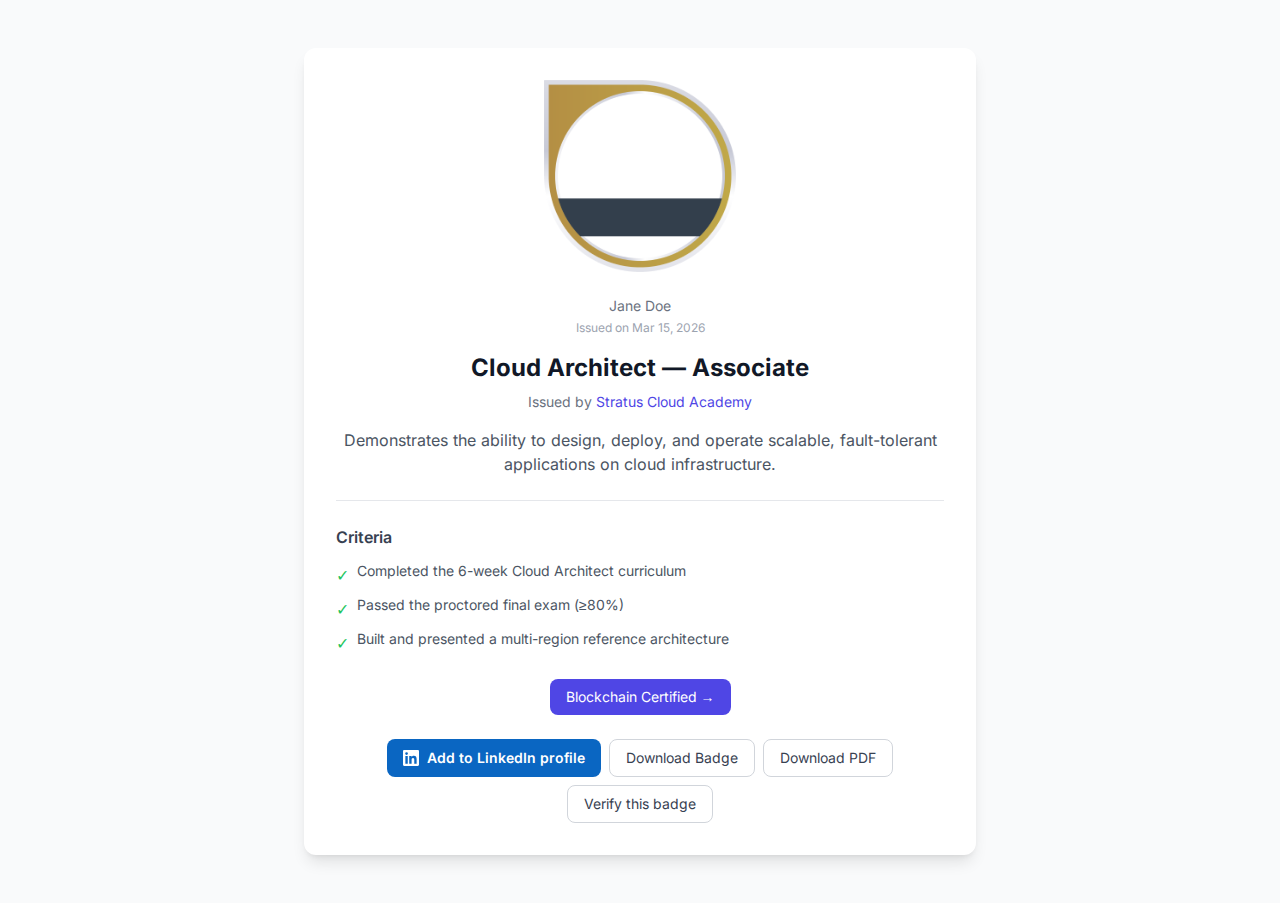
Open Badge v2.0 standard इसे बंद करने का सबसे widely adopted तरीका है। PDF पर ही भरोसा करने के बजाय, verification एक public, hosted assertion के खिलाफ होता है: एक JSON-LD document जो बताता है कि credential किसने जारी किया, किसे मिला, कब, और किन criteria के तहत। लिंक रखने वाला कोई भी व्यक्ति बिना account बनाए उसे check कर सकता है। Badges Ninja पर, यह assertion https://api.badges.ninja/certify-badge/award/{guid} पर रहता है और human-readable version https://badges.ninja/awards/{guid} पर — दोनों public हैं, और recipient का email plain text के बजाय SHA-256 hash के रूप में स्टोर होता है, ताकि assertion खुद उस URL पर पहुँचने वाले किसी को भी personal data leak न करे। सर्टिफिकेट PDF पर मौजूद एक QR code सीधे उस verification page पर ले जाता है, इसलिए एक printed सर्टिफिकेट उतना ही checkable होता है जितना digital वाला।
यही practical वजह है कि “Canva से बनी PDF” वाला तरीका trust के मामले में कभी compete नहीं कर सकता, चाहे डिज़ाइन कितना भी अच्छा क्यों न दिखे: उसके पीछे कोई assertion नहीं है, इसलिए check करने के लिए कुछ है ही नहीं।
तुलना तालिका
| Platform | Free tier | Entry paid price | Visual design freedom | एक डिज़ाइन से PDF सर्टिफिकेट + Open Badge | Verification | Batch issuance |
|---|---|---|---|---|---|---|
| Badges Ninja | हाँ — $0/mo, 1,200 credentials/yr, 5 badge designs | $9/mo (Starter, 12,000/yr, 25 badge designs) | Full visual designer — 80+ shape templates, custom colors, 11 fonts, logo/background upload, snap-to-grid | हाँ — एक डिज़ाइन से PDF सर्टिफिकेट और Open Badge v2.0 credential दोनों बनते हैं | Public page + QR code, signup की ज़रूरत नहीं, Open Badge v2.0 JSON-LD | Pause/resume के साथ dashboard CSV upload, या हर recipient के लिए एक POST /awards कॉल |
| Sertifier | सिर्फ 14-दिन का trial | Monthly SaaS + per-credential fees | Template-based, सीमित customization | हाँ, templates से दोनों outputs | Hosted verification page, basic recipient profile | CSV upload + bulk email delivery |
| Accredible | नहीं | Enterprise, आमतौर पर $500–1,000+/mo | Template-based, मज़बूत white-label options | हाँ, साथ ही views/shares पर rich analytics | White-label, बिना signup वाला verification page | CSV + API, बड़े cohorts के लिए बना |
| Certifier | सीमित free trial, ongoing नहीं | Tens of dollars/mo से शुरू होने वाले paid plans | Design-forward template editor, drag-and-drop elements | हाँ, PDF + shareable link | Hosted verification page | CSV bulk import |
| Canva + manual process | Free (Canva free tier) | $0, लेकिन कोई verification infrastructure नहीं | Best-in-class design freedom | सिर्फ PDF — कोई verifiable credential layer नहीं | कोई नहीं — downloaded PDF को कोई भी edit कर सकता है | कोई नहीं — हर recipient के लिए manual mail merge या copy-paste |
Accredible और Certifier की pricing को लेकर एक caveat: दोनों में से कोई भी हर tier के लिए पूरे self-serve rate cards publish नहीं करता, इसलिए ऊपर दिए गए आंकड़ों को directional मानें। Canva-plus-manual को छोड़कर हर row वाकई एक verifiable credential बनाती है; फ़र्क़ cost, design freedom, और batch issuance में अब भी कितना manual काम लगता है, उसमें है।
कहाँ कौन सा असल में जीतता है
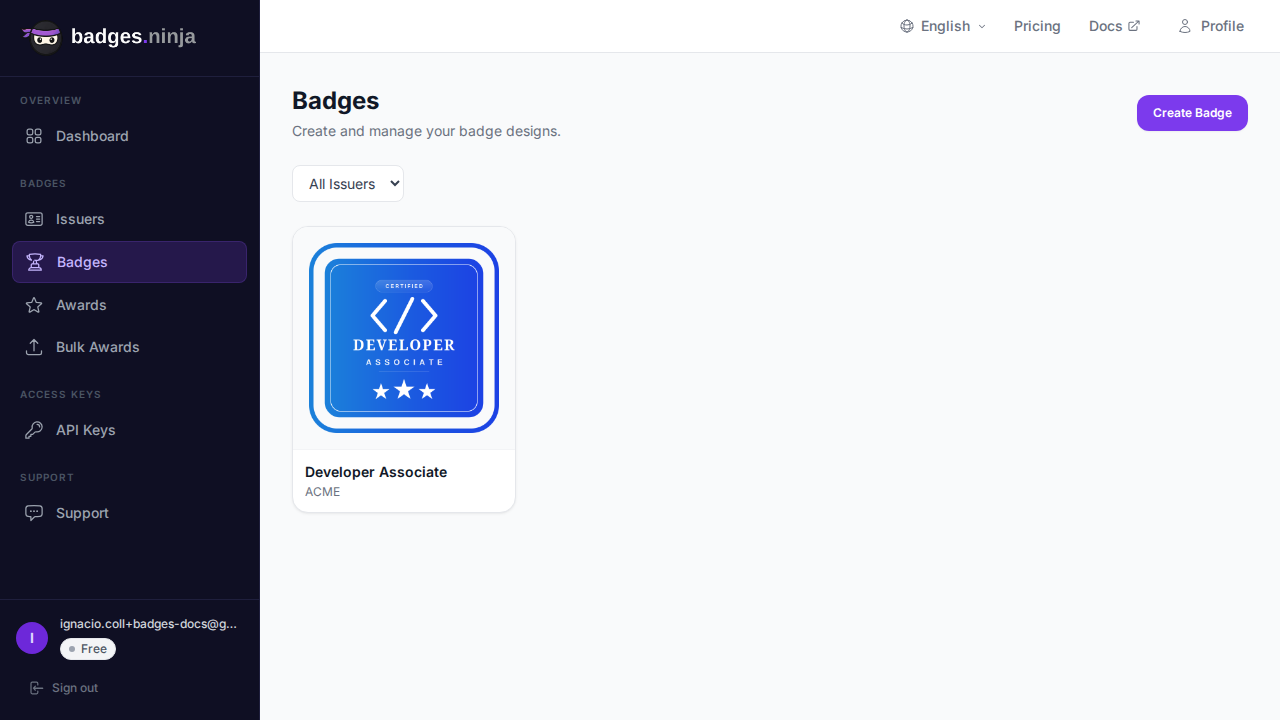
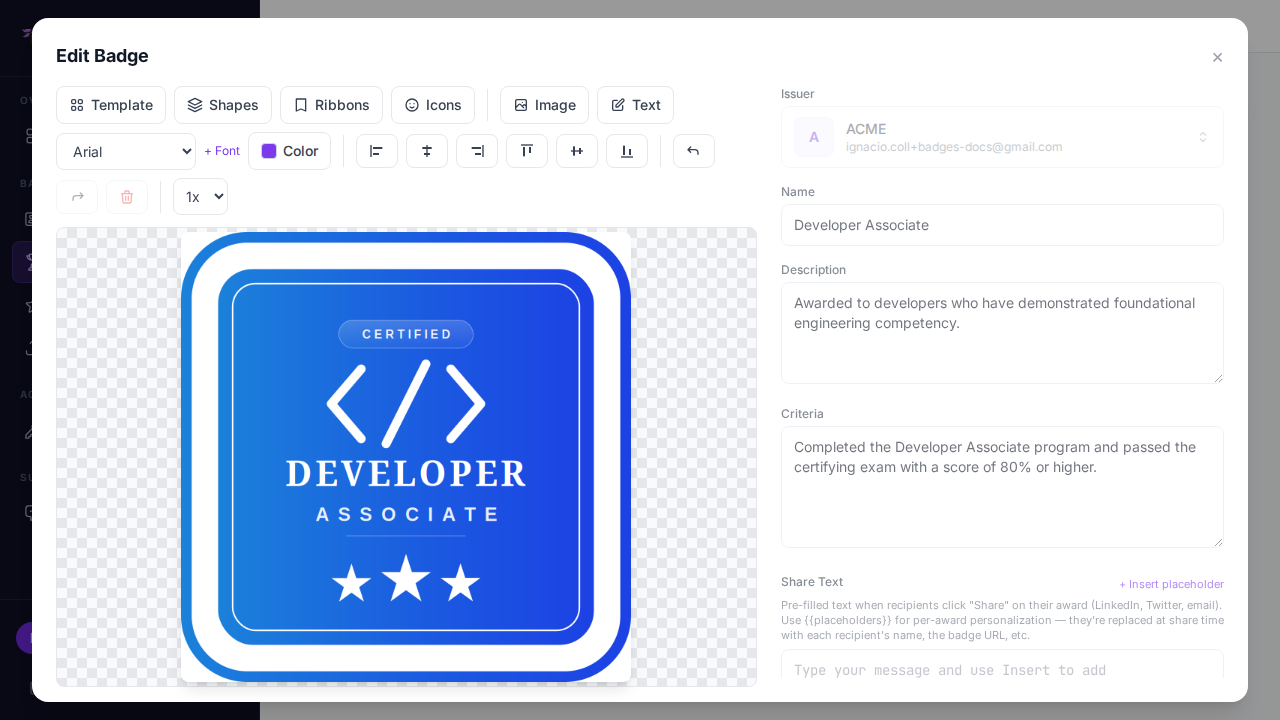
Badges Ninja यहाँ इकलौता विकल्प है जिसमें एक असली visual designer (सिर्फ template बदलना नहीं) और API access व Open Badge v2.0 आउटपुट शामिल करने वाला ongoing free tier, दोनों हैं। सर्टिफिकेट use cases के लिए practical फ़ायदा यह है: आप credential को badge designer में एक बार डिज़ाइन करते हैं, और हर award अपने आप वो PDF सर्टिफिकेट बनाता है जिसकी लोग उम्मीद करते हैं, और साथ ही उसके पीछे का verifiable Open Badge भी — अलग से कोई certificate-generation स्टेप नहीं।
Sertifier एक reasonable choice है अगर आप पहले से ही उसके bulk-email delivery infrastructure के लिए committed हैं और volume के साथ बढ़ने वाले credit-based cost model से आपको दिक्कत नहीं है। इसका कोई ongoing free tier नहीं है, इसलिए बिना पैसे दिए आप एक छोटा pilot program हमेशा के लिए नहीं चला सकते। Pricing breakdown के लिए हमारा पूरा Sertifier comparison देखें।
Accredible enterprise credentialing programs के लिए बना है — यह कि credential को किसने देखा और शेयर किया इस पर deep analytics, मज़बूत white-labeling, और scale पर मायने रखने वाले integrations। अगर आपका प्रोग्राम साल में दसियों हज़ार सर्टिफिकेट जारी करता है और आपके पास असली procurement budget है, तो enterprise conversation करना worth है। साल में कुछ हज़ार सर्टिफिकेट से कम वाले प्रोग्राम के लिए, यह आमतौर पर ज़रूरत से ज़्यादा platform है। हमारा Accredible comparison इस trade-off को detail में cover करता है।
Certifier drag-and-drop editor के साथ design-forward झुकाव रखता है, जो design axis पर इसे Sertifier या Accredible के मुकाबले Badges Ninja के ज़्यादा करीब लाता है। जहाँ यह अलग होता है वो है free tier — Certifier का tier एक time-limited trial है, ongoing plan नहीं, इसलिए जो प्रोग्राम हमेशा के लिए छोटा और free रहना चाहता है, वो इससे आगे निकल जाएगा।
Canva plus manual process एक one-off सर्टिफिकेट के लिए genuinely ठीक है — जैसे employee-of-the-month का एक award, या कोई छोटी internal recognition। जैसे ही आपको कुछ recipients से ज़्यादा की ज़रूरत होती है, यह टूट जाता है, क्योंकि इसमें कोई verification layer है ही नहीं: basic image-editing skills वाला कोई भी व्यक्ति plain PDF पर नाम या date बदल सकता है, और ऐसा कोई URL नहीं है जिसे कोई skeptical employer या licensing board check कर सके।
Recipient को मिलने के बाद क्या होता है
Design और verification को इस तरह की comparison में सबसे ज़्यादा ध्यान मिलता है, लेकिन जारी करने के बाद क्या होता है, यह भी उतना ही मायने रखता है कि सर्टिफिकेट असल में इस्तेमाल होता है या नहीं। एक PDF जो inbox में पहुँचकर दोबारा कभी नहीं खुलती, वो न तो recipient के लिए और न ही आपके प्रोग्राम की visibility के लिए कुछ खास करती है।
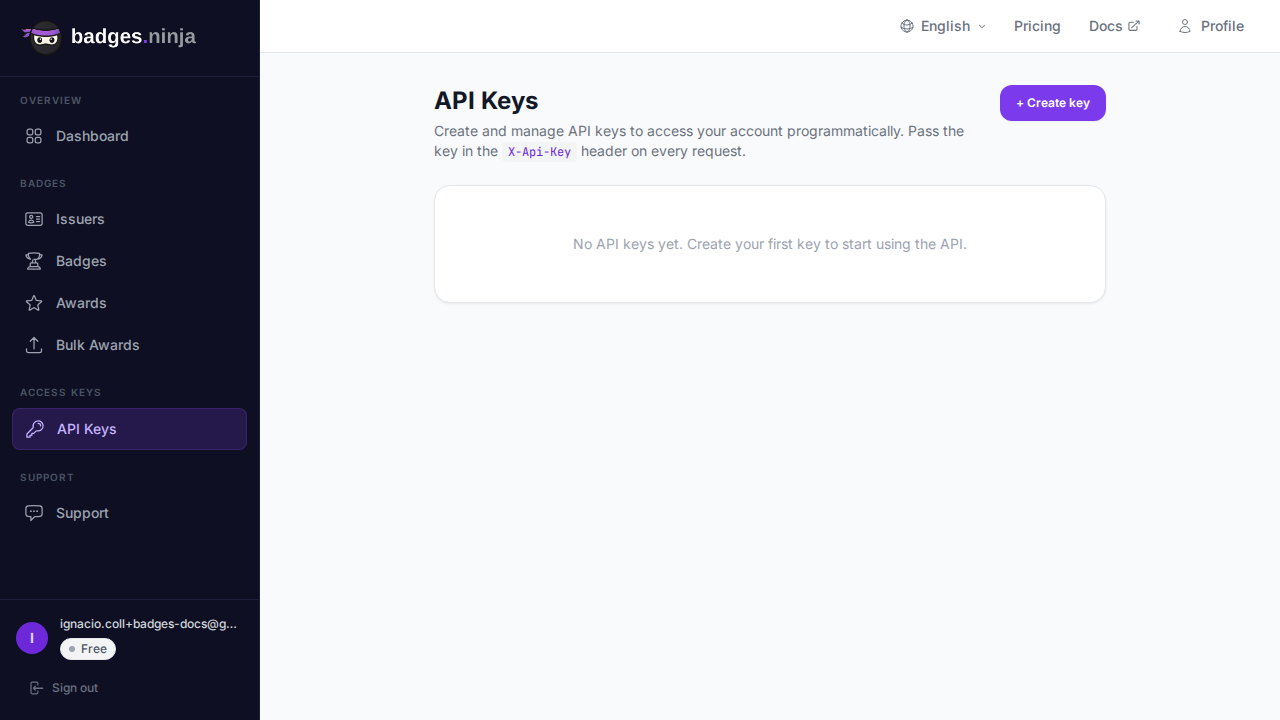
Badges Ninja का recipient portal (badges.ninja/me) हर recipient को platform पर हर issuer से कमाए गए हर credential का एक running collection देता है, जिसे magic-link sign-in से access किया जा सकता है — याद रखने के लिए कोई password नहीं, “आपने यह कमाया है” और “आप इसे देख सकते हैं” के बीच कोई account-creation friction नहीं। Recipients को badges.ninja/u/{handle} पर एक public profile भी मिलता है जिसे वे दूसरों को दिखा सकते हैं, और एक one-click Add-to-LinkedIn-Profile flow जो credential को सीधे उनकी Licenses & Certifications section में डाल देता है। Accredible अपने enterprise tier पर कुछ ऐसा ही offer करता है; Sertifier और Certifier एक basic hosted page और recipient profile देते हैं, लेकिन एक persistent, cross-issuer portfolio पर उतना ज़ोर नहीं। Canva-plus-manual में यहाँ कुछ भी नहीं है — सर्टिफिकेट वहीं रहता है जहाँ recipient ने उस फ़ाइल को सेव किया था।
यह फ़र्क़ समय के साथ compound होता है: जो credential recipient आसानी से दोबारा शेयर कर सके, वो शेयर होता है, और हर बार जब कोई इसे post करता है, तो यह issuing प्रोग्राम के लिए free distribution होता है।
Volume और budget के हिसाब से decision tree
- साल में 1,200 से कम सर्टिफिकेट, $0 budget, verifiable आउटपुट चाहिए: Badges Ninja का free tier। टेबल में यह इकलौता विकल्प है जिसमें एक genuine, ongoing free plan है जिसमें Open Badge v2.0 verification और API access शामिल है — कोई time-boxed trial नहीं।
- साल में 1,200–12,000, छोटा paid budget ($9–30/mo): Badges Ninja Starter या Pro, या Certifier अगर drag-and-drop editor खासतौर पर आपके workflow में बेहतर fit होता है और आपको free tier नहीं चाहिए।
- साल में कुछ हज़ार से लेकर ~10,000 तक, monthly SaaS fee के साथ per-credential costs भी देने को तैयार: Sertifier, अगर उसका bulk-email delivery tooling आपके लिए flat-rate pricing predictability से ज़्यादा मायने रखता है।
- साल में दसियों हज़ार+, enterprise procurement, white-label requirement: Accredible। इस scale पर analytics और integration depth आमतौर पर cost को justify करते हैं।
- एक अकेला सर्टिफिकेट, या मुट्ठी भर, कोई recurring ज़रूरत नहीं: Canva ठीक है — बस recipients के साथ ईमानदार रहें कि यह independently verifiable नहीं है।
अपना पहला सर्टिफिकेट डिज़ाइन करना
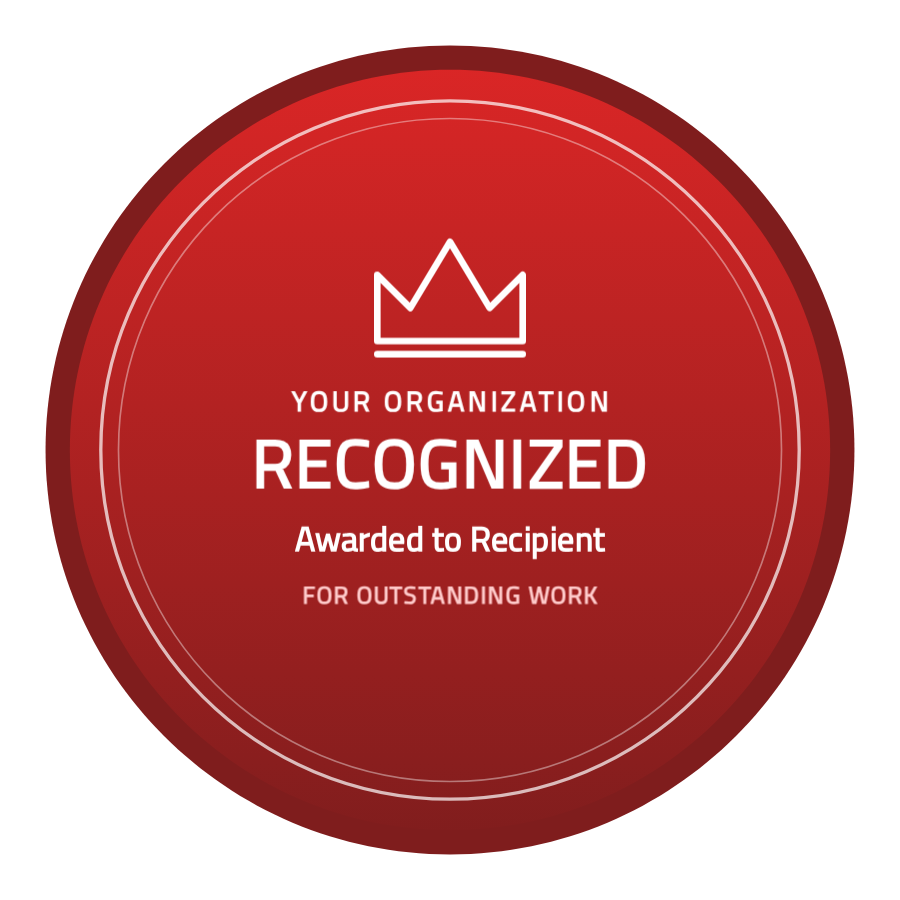
अगर आप शुरुआत से कर रहे हैं, तो सबसे तेज़ रास्ता है visual designer: एक shape template चुनें, अपने organization के colors सेट करें, एक logo upload करें, और वही डिज़ाइन printable सर्टिफिकेट और verifiable Open Badge, दोनों बन जाता है। पूरे walkthrough के लिए, Designing Your First Verifiable Digital Certificate देखें।
जब आप एक समय में एक recipient के बजाय पूरे cohort को एक साथ issue करने के लिए तैयार हों, तो bulk-awards guide CSV upload flow को cover करता है — इसमें यह भी शामिल है कि अगर browser बीच में बंद हो जाए तो batch को कैसे pause और resume किया जाए। इसके अंदर, dashboard और एक direct POST /awards कॉल दोनों एक ही shape इस्तेमाल करते हैं:
{
  "badgeId": "your-badge-id",
  "recipient": { "name": "Jane Smith", "email": "jane@example.com" },
  "issuedOn": "2026-09-10"
}
यह { "awardId": "<id>" } return करता है — verification URL https://badges.ninja/awards/<awardId> है, और यह recipient के पहले account बनाए बिना भी काम करता है।
निचोड़
अगर आपको एक असली design टूल चाहिए, एक free tier जो countdown clock नहीं है, और एक ही workflow से एक verifiable credential (सिर्फ PDF नहीं), तो साल में 10,000 से कम सर्टिफिकेट वाले प्रोग्राम्स के लिए Badges Ninja सबसे मज़बूत fit है। Dedicated procurement budgets वाले बड़े, enterprise-scale प्रोग्राम्स को आमतौर पर Accredible बेहतर suit करता है। Sertifier और Certifier दोनों बीच में कहीं आते हैं, और अगर उनकी specific delivery या design tooling आपकी मौजूदा process से किसी from-scratch evaluation के मुकाबले ज़्यादा अच्छी तरह मेल खाती है, तो उन्हें consider करना worth है।
अपना पहला verifiable credential जारी करने के लिए तैयार हैं? badges.ninja पर मुफ़्त शुरू करें — visual designer, public verification page, PDF सर्टिफिकेट, Open Badge v2.0 आउटपुट। किसी credit card की ज़रूरत नहीं।
लेखक के बारे में
Nacho Coll
Founder & Engineer at Badges Ninja
Nacho founded Badges Ninja to make issuing verifiable digital credentials as simple as a single API call — Open Badge v2.0 badges and certificates, minted, hosted, and verifiable without standing up your own issuer infrastructure. Writes about the Open Badges spec, credential verification, and running a credentialing platform serverless on AWS, from the operator side of the wire.