English
English
Appearance
The recipient portal is a self-service area at badges.ninja/me where anyone who has been issued a badge can sign in (no account required), browse every credential they've received through badges.ninja, and curate a public profile to share them.
It's a separate experience from the issuer dashboard:
| Audience | URL | Auth |
|---|---|---|
| Issuer (someone issuing badges) | /dashboard | Real account (email + password / SSO) |
| Recipient (someone earning badges) | /me | Magic-link via email — no account, no password |
| Anyone (verifiers) | /awards/<guid>, /verify/<guid>, /u/<handle> | None — fully public |
Why no password?
Recipients shouldn't have to remember another login just to look at the badges they've been given. We email them a one-time link instead.
Visit badges.ninja/me. The page shows a single email field:
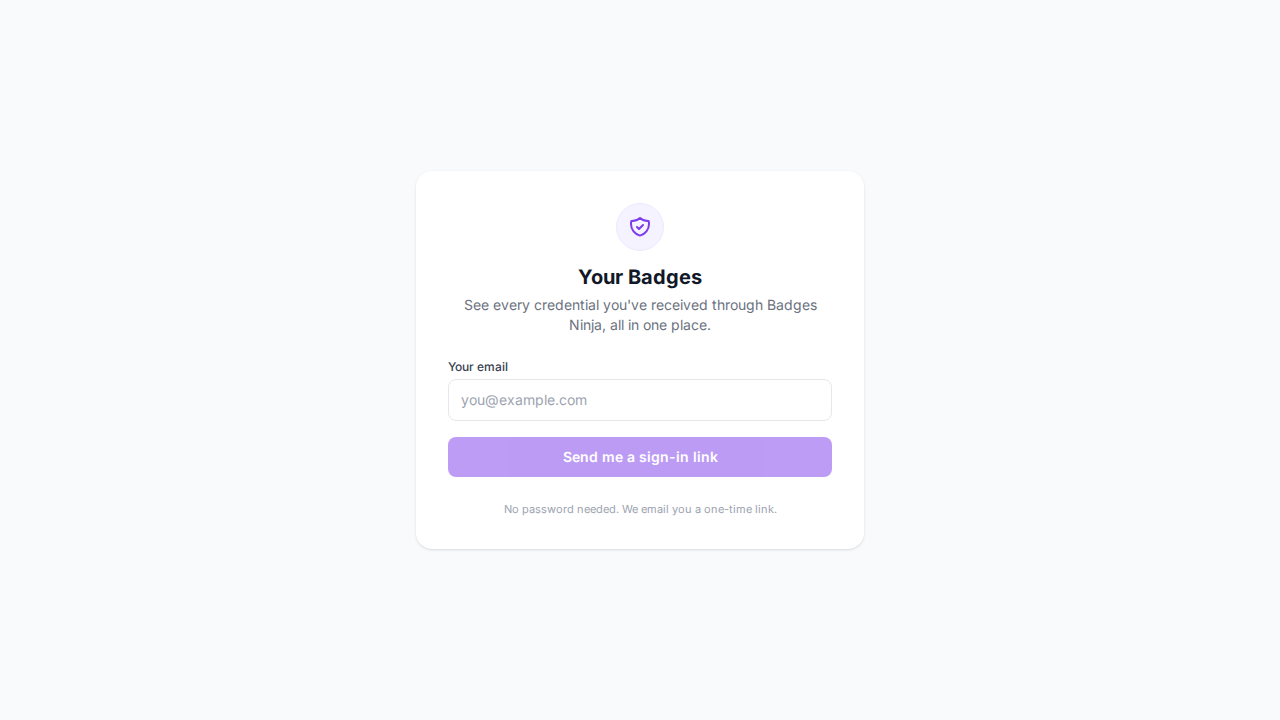
Enter the email address that received the badges and click Send me a sign-in link.
We respond with a "check your inbox" message regardless of whether any credentials exist for that address. This avoids leaking whether a given email has ever received a badge from any issuer on the platform.
If credentials exist for the address, you receive an email titled "Sign in to your Badges Ninja portal" with a single button:
Open my portal
The link is valid for 24 hours and can be reused as many times as you like within that window — it isn't consumed on first click. Once the 24 hours are up, just request a new one — there's no penalty.
Clicking the link opens badges.ninja/me?token=…. The page swaps the token for a session token (stored only in your browser's sessionStorage, never in a cookie) and redirects you to the badge wall. The session has a fixed 1-hour lifetime from the moment it's issued — it is not extended by activity — and it's also cleared when you close the tab, whichever comes first.
Once signed in, the portal shows:
badges.ninja/u/jane-3a4f) — auto-suggested from your email's local-part with 4 random characters appended for uniqueness. Click Change to pick something nicer./u/<handle>). The credential itself stays valid; you just curate what's listed publicly.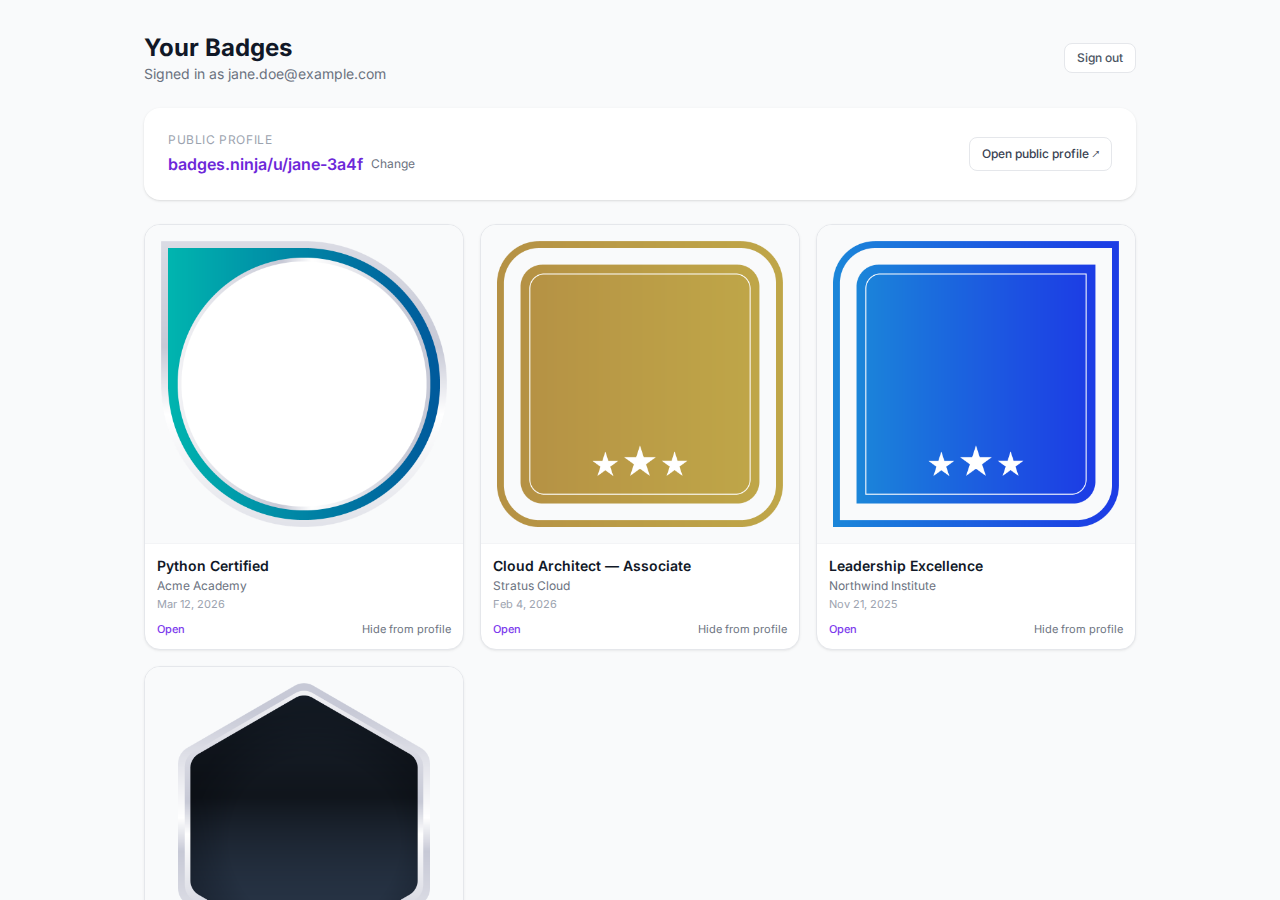
The badge wall shows your 50 most recent credentials, newest first. There's no pagination control in the portal — if you have more than 50 credentials, the remainder are still reachable through their direct /awards/<guid> links and your public /u/<handle> profile.
The Sign out button in the header clears the session token from sessionStorage. Closing the tab does the same thing automatically.
Once you have a handle, anyone who visits badges.ninja/u/<handle> sees a clean grid of your badges, with your display name and badge count, plus per-badge cards that open the public credential page on click.
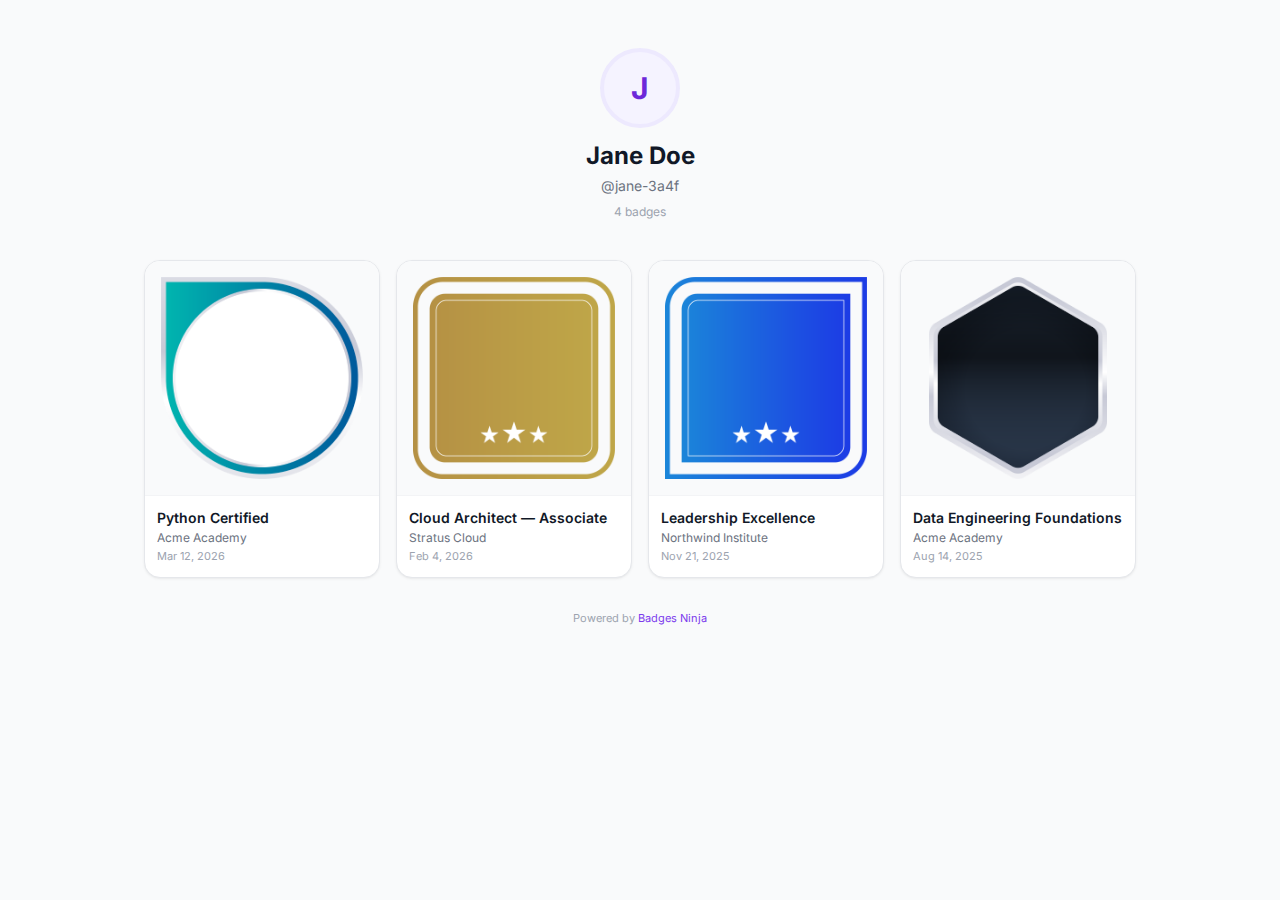
The public profile only shows badges you haven't hidden. You don't need to sign in to share your /u/<handle> URL — it's a fully public page that you own.
Handles must be 3–20 characters, only a-z 0-9 _ -. They're case-insensitive and globally unique on badges.ninja. If the handle you want is taken, you'll get a clear error and can pick something else.
You can change your handle at any time from the portal — the new one becomes the canonical URL immediately, and the old one becomes available for someone else to claim. Existing share links you've sent (/u/old-handle) won't redirect — they'll just say "Profile not found".
At the bottom of the portal there's a Remove my data from Badges Ninja link. Clicking it asks you to confirm, calls the POST /me/auth/forget endpoint, and then signs you out. It does the following:
removed:5f3a8b9c…). The credential itself stays intact (the assertion JSON and badge image) so you don't invalidate the credential — issuers still hold your badge — but you become un-discoverable: searching for your email in any portal yields no results, and your /me sign-in stops finding credentials./u/<handle> returns 404 and the handle becomes available for someone else.This is irreversible. To use the portal again afterwards you'd have to be issued a new badge and request a fresh magic link.
What this does NOT do
/awards/<guid>) remain valid for verification purposes — that's the spec.Two possibilities:
/awards/<guid> URL.Not yet. The portal currently shows only badges issued through badges.ninja. Cross-issuer aggregation (the "Open Badges Backpack" model) was a major Open Badges goal in the early 2010s, but the broader ecosystem moved to LinkedIn as the de-facto aggregator. We're not planning to compete on that surface.
Yes — every public credential page (/awards/<guid>) always has an Add to LinkedIn profile button. The button uses LinkedIn's Add-to-Profile deep link, so the badge lands directly in your Certifications section without manual copy-paste. If the issuer set a LinkedIn organization ID, LinkedIn pre-fills the verified Company Page; otherwise it uses the issuer's name.
No. Each credential page tracks views, shares, downloads, and LinkedIn add-clicks, but those counts are shown only to the issuer on their dashboard. Recipients don't see view or share counts anywhere — not in the portal and not on the public credential page. Per Credly convention, viewer identity is never recorded — only aggregate counts.
24 hours. After that, request a new one — no rate limiting, no penalty.
1 hour from sign-in. Refreshing the page within that window keeps the session alive; closing the tab ends it.
No. Hidden badges are filtered out of the public /u/<handle> view. They're only visible to you while signed into the portal.
Yes — open any badge from the portal, then use the Download dropdown on the public credential page. Badge image gives you the original badge PNG (the raw artwork — it is not an Open Badges "baked" file and carries no embedded signature), and Certificate gives you a print-ready A4 PDF. Verification is done via the hosted /verify/<guid> page and the Open Badge v2 assertion JSON, not by data baked into the image.
Recipients accessing the portal don't change anything for the issuer — the credentials table on the issuer's dashboard works exactly the same way. The portal is purely additive.
If you're an issuer reading this and haven't set your LinkedIn organization ID yet, do it now: Managing Issuers → LinkedIn add-to-profile. It's the single biggest "share rate" lever on the platform.
{ kind: "magic", email, exp } signed with a server-side secret rotated via AWS Secrets Manager (recipient/keys:tokenSecret). On verify, we mint a { kind: "session", email, exp } token. No DB-backed session table.RECIPIENT_EMAIL_LC-TIMESTAMP GSI on the awards table. Email is normalized to lowercase before storage and lookup.EMAIL_LC so /u/<handle> can list awards without the recipient being signed in. Hidden awards are filtered server-side.RECIPIENT_EMAIL_LC to removed:<random> and removes the RECIPIENT_EMAIL plaintext attribute via DynamoDB UPDATE. Profile row deleted.POST /me/auth/request { email } — emails magic linkPOST /me/auth/verify { token } — returns session tokenGET /me — profile + first awards page (Bearer)GET /me/awards?lastEvaluatedKey=… — paginated (Bearer)PUT /me/handle { handle } — set/change handle (Bearer)PUT /me/awards/{guid}/visibility { hidden: bool } — toggle hidden (Bearer)POST /me/auth/forget — GDPR unbind (Bearer)GET /u/{handle} — public profile (no auth)