English
English
Appearance
Every credential on badges.ninja has a public verification page that anyone can access without signing in. Recipients can share their badges on social media, by email, or by copying a direct link.
Recipients have their own portal too
If you've earned a badge through badges.ninja, you can sign in (no password needed) at badges.ninja/me to see all your badges in one place and curate a public profile at badges.ninja/u/<your-handle>. See Recipient Portal.
Each credential has a public URL:
https://badges.ninja/awards/{guid}This page displays the badge image, the badge name and description, the recipient name, the issuer name and logo, the issue date and any expiration date, and the criteria the recipient met to earn the badge. Anyone with the link can open the page to confirm the credential is authentic.
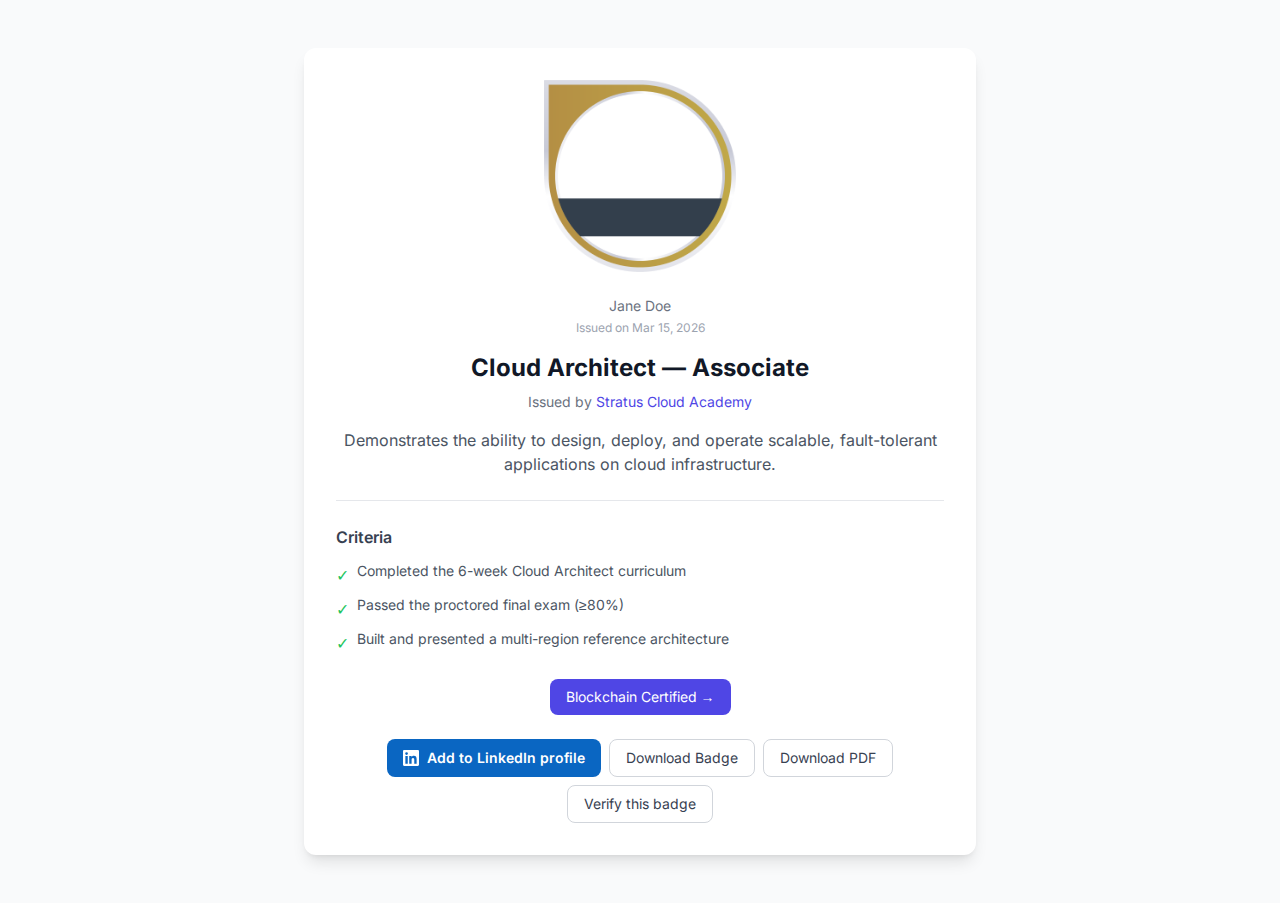
The credential page always shows an Add to LinkedIn profile button so the recipient can save the credential straight into their LinkedIn Licenses & Certifications. (If the issuer set a LinkedIn organization ID, LinkedIn pre-fills the verified Company Page; otherwise it falls back to the issuer's name.) A single Download dropdown offers two options: Badge image (the original PNG) and Certificate (a printable A4 PDF generated on the fly at /certify-badge/award/{guid}/pdf).
The share page provides social sharing options:
https://badges.ninja/awards/{guid}/share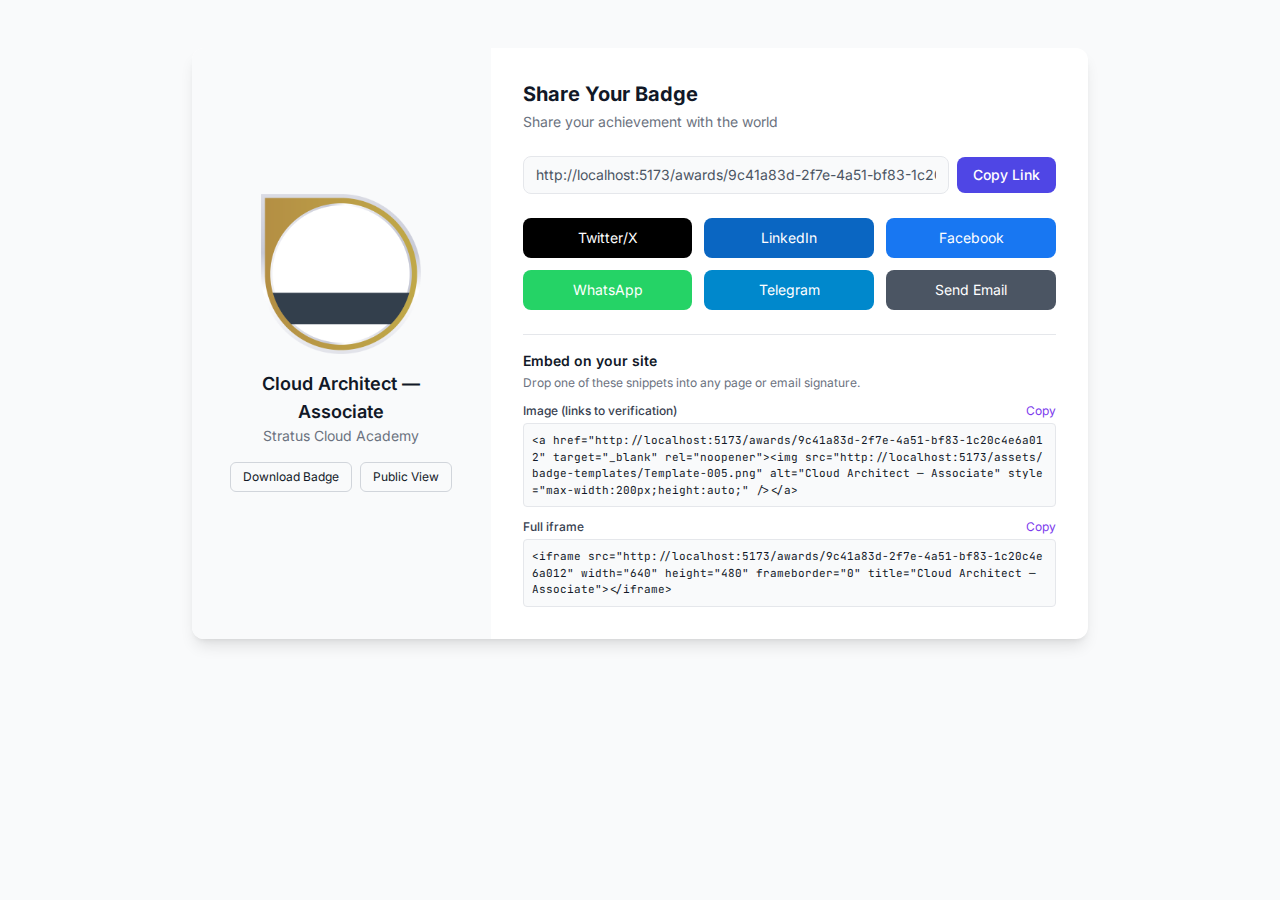
From this page, recipients can share their badge on:
<img> and <iframe> HTML to drop the badge into a website, intranet, or email signatureA dedicated verification page renders a scannable QR code pointing at its own URL — perfect for printed certificates, event banners, or LinkedIn screenshots.
https://badges.ninja/verify/{guid}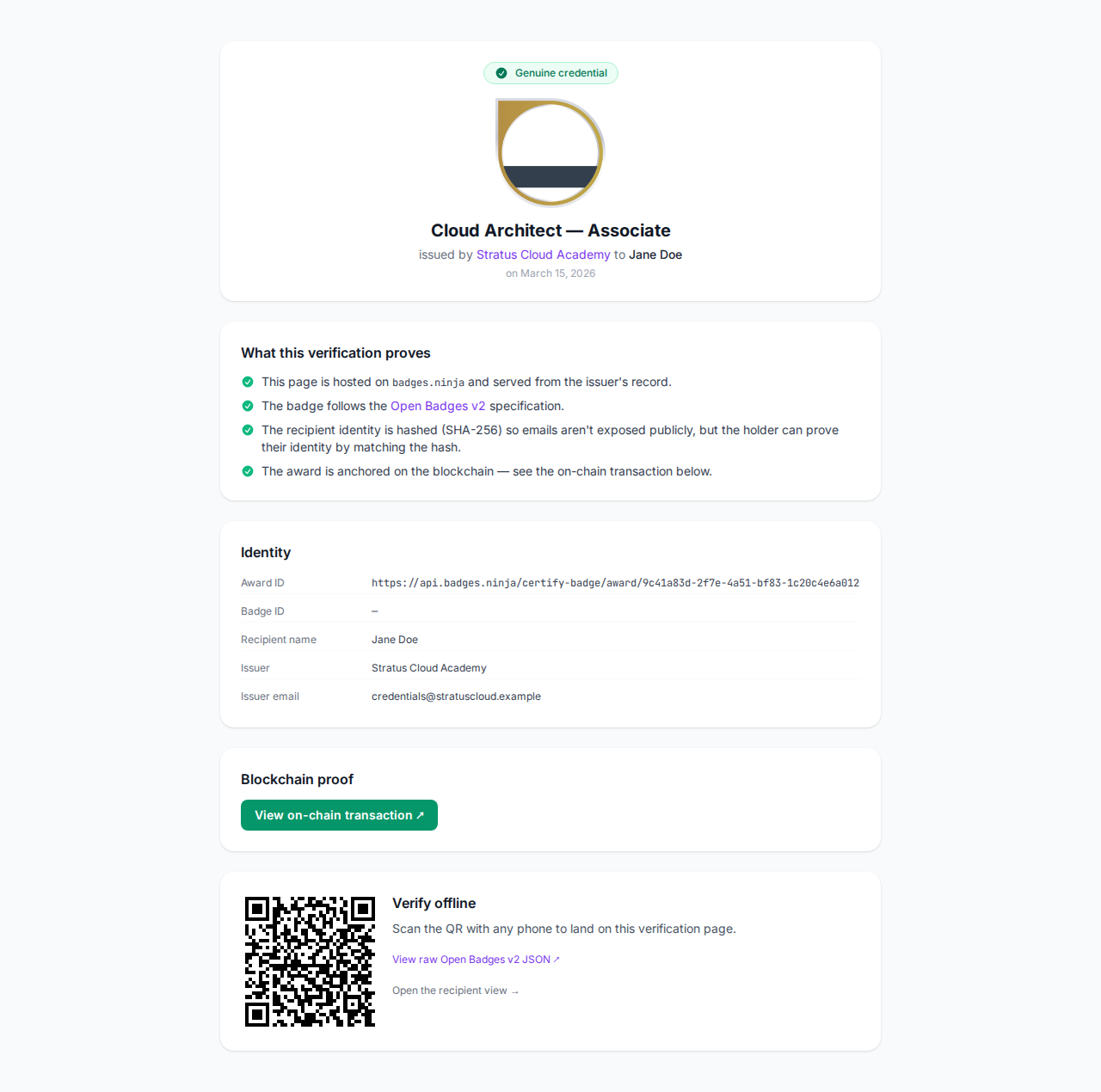
Anyone scanning the QR with a phone camera lands on the live verification page, where they can confirm the badge is hosted on badges.ninja and follows the Open Badge v2.0 spec. The recipient identity is shown as a SHA-256 hash so emails are never exposed publicly.
Every credential can be downloaded as a print-ready A4 PDF certificate. The Certificate option lives in the Download dropdown on the public credential page (/awards/{guid}) — not on the verification page, which only carries the scannable QR code and the raw Open Badge JSON. Choosing it generates the PDF on the fly (at /certify-badge/award/{guid}/pdf) with the badge image, recipient name, issuer, criteria, issue date, optional expiration, and a QR code linking back to the live verification URL.
When a badge link is shared on LinkedIn, X, Slack, Facebook, WhatsApp, or email, the platform fetches the share endpoint and renders a rich card from the Open Graph metadata badges.ninja emits:
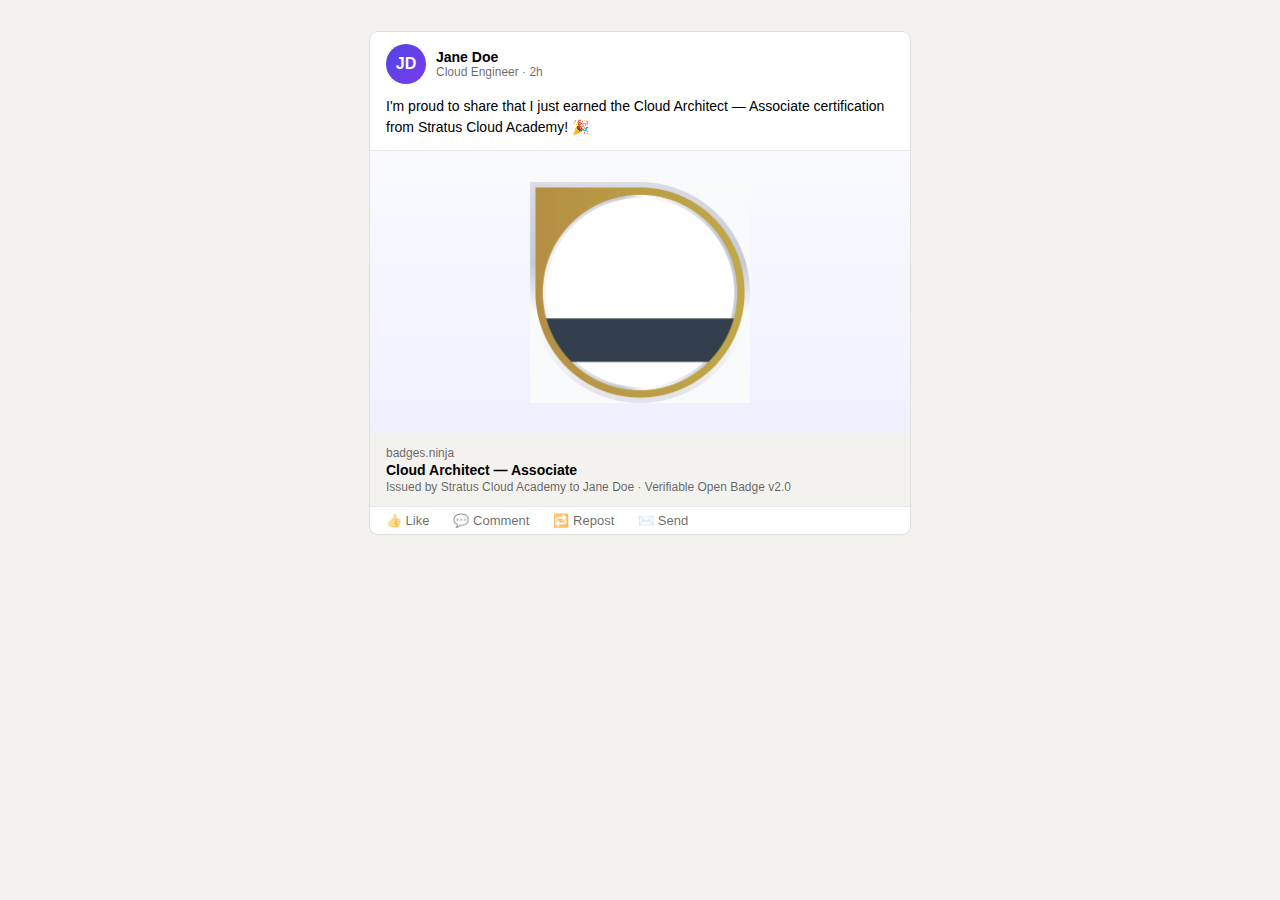
This ensures badges look professional when shared anywhere — recipients don't have to attach their own image or write copy. The preview is generated server-side at /certify-badge/award/{guid}/share-html and cached at the CDN edge, so previews appear instantly even on the first share.
You can send credentials by email in two ways:
Recipients can share their badge with friends, mentors, or potential employers by clicking Send Email on the share page. A modal opens where they enter one or more email addresses, an optional subject, and a personal message:
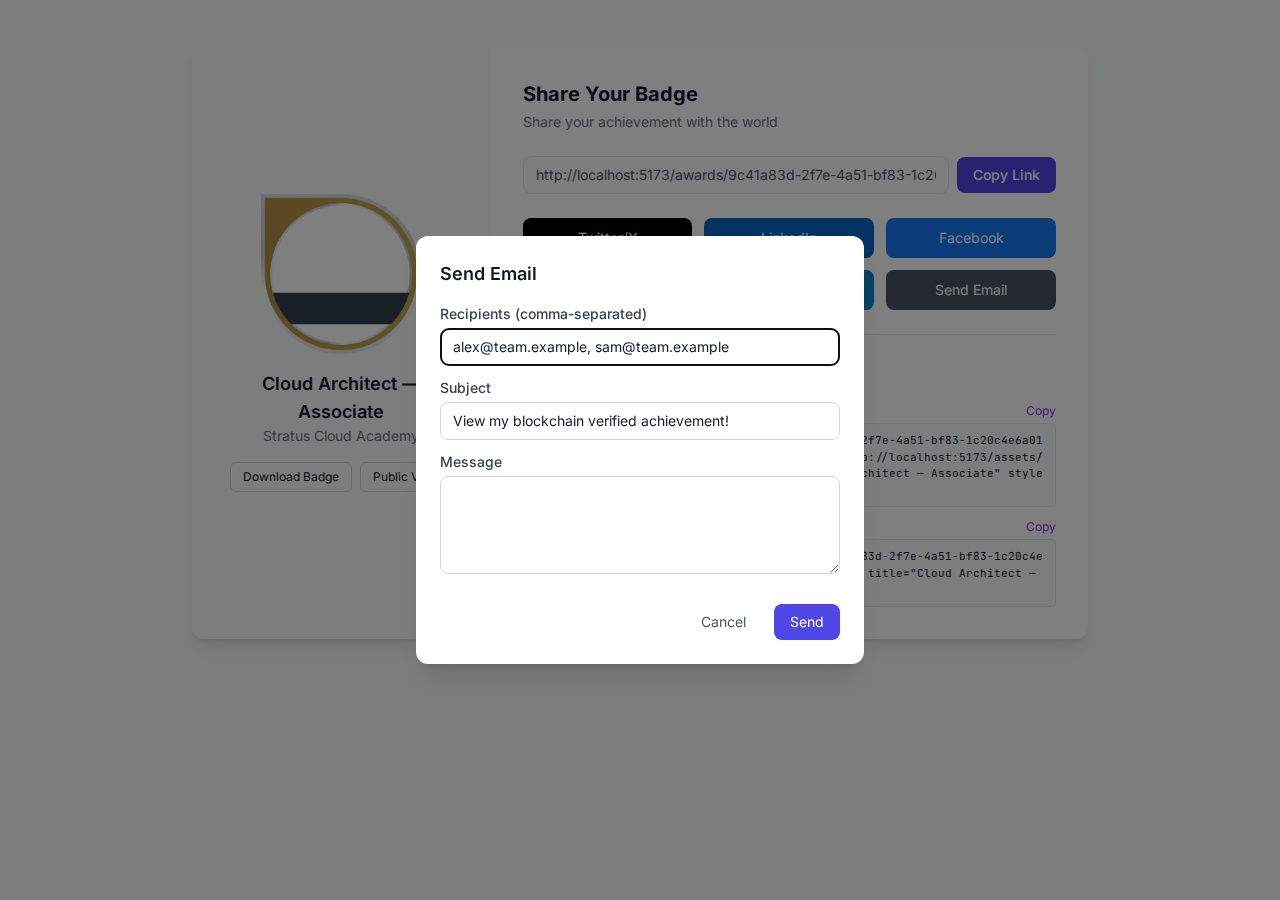
Each addressee receives a styled HTML email with the recipient's personal message and a one-click button to view the public credential page:
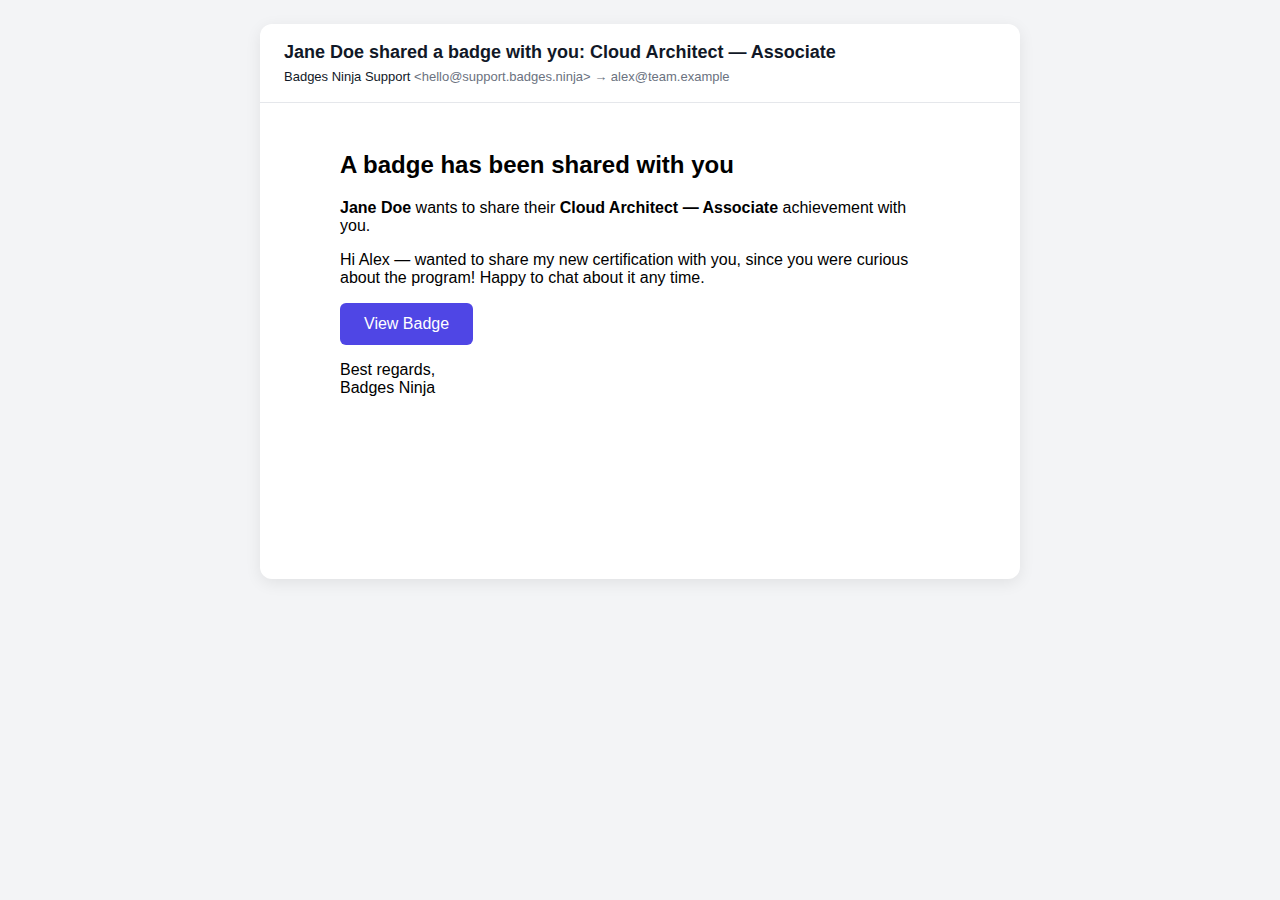
Issuers can send any credential by email from the Credentials page in the dashboard:
The same email template is used for both flows.
For interoperability with other badge platforms, badges.ninja provides standard Open Badge v2.0 JSON at these public endpoints:
| Endpoint | Description |
|---|---|
/certify-badge/issuer/{guid} | Issuer profile JSON |
/certify-badge/badge/{guid} | BadgeClass JSON |
/certify-badge/award/{guid} | Assertion JSON (the credential) |
These endpoints return JSON-LD compliant with the Open Badge v2.0 specification. Other badge platforms and verifiers can consume this data to validate credentials.
Example — verify a credential:
curl https://api.badges.ninja/certify-badge/award/abc123-def456{
"@context": "https://w3id.org/openbadges/v2",
"type": "Assertion",
"id": "https://api.badges.ninja/certify-badge/award/abc123-def456",
"recipient": {
"type": "email",
"identity": "sha256$..."
},
"badge": "https://api.badges.ninja/certify-badge/badge/xyz789",
"issuedOn": "2025-01-15T00:00:00.000Z",
"verification": {
"type": "hosted"
}
}Badge images are stored on Amazon S3 and served through our global CDN under a content-addressed, immutable URL derived from a cryptographic hash (SHA-256) of the image bytes. This means:
https://badges.ninja/images/{sha256}.pngBecause the image is part of the Open Badge assertion, replacing the badge artwork later does not break previously-issued credentials: the original image keeps its own content-addressed URL, so historical credentials keep their original image even if you redesign the badge for new issuances.