
Digital Badges for Corporate Training and Compliance Tracking
Issue Open Badges for completed corporate training. Recipients carry the credential between employers, you get auditable records, compliance teams sleep at night.
 By Nacho Coll
Nacho founded Badges Ninja to make issuing verifiable digital credentials as simple as a single API call — Open Badge v2.0 badges and certificates, minted, hosted, and verifiable without standing up your own issuer infrastructure.
Every year the same thing happens. Security awareness training, workplace safety, anti-harassment, data protection. Hundreds of employees click through the modules, your LMS records a “completed” flag, and three months later an auditor asks you to prove that a specific person finished a specific course on a specific date. You export a spreadsheet, someone spot-checks a few rows, and everyone hopes nobody asks a follow-up question.
Digital badges give you a better record. Each completion becomes a small, verifiable credential with a unique public URL, an issue date, and an optional expiry. The employee gets something they can keep and share. You get a record that anyone, including an auditor, can check without logging into anything.
This guide is for program owners and training leads. It covers how to model mandatory training as badges, how to issue them for a whole cohort at once, and how to keep the audit trail clean. There is very little code in it, because most of this is a dashboard job.
Why a LMS checkbox is not enough
A completion flag inside your learning system is a record, but it has three weaknesses:
- It lives in one system. If you change vendors, merge with another company, or archive the old LMS, the history gets harder to reach.
- It belongs to the employer only. The employee cannot take it with them, so it creates no goodwill and no incentive to keep their credentials current.
- It is hard to verify from outside. An external auditor, a client running a vendor security review, or a new employer has to ask you to confirm it.
A badge solves each of these. It is issued under your organization’s name, it is public, and the person who earned it holds it independently of your internal tools.
What a training badge actually contains
Think of a badge as two layers. The badge is the definition: the name, the image, the description of what was required. The award is one person receiving that badge on a particular date.
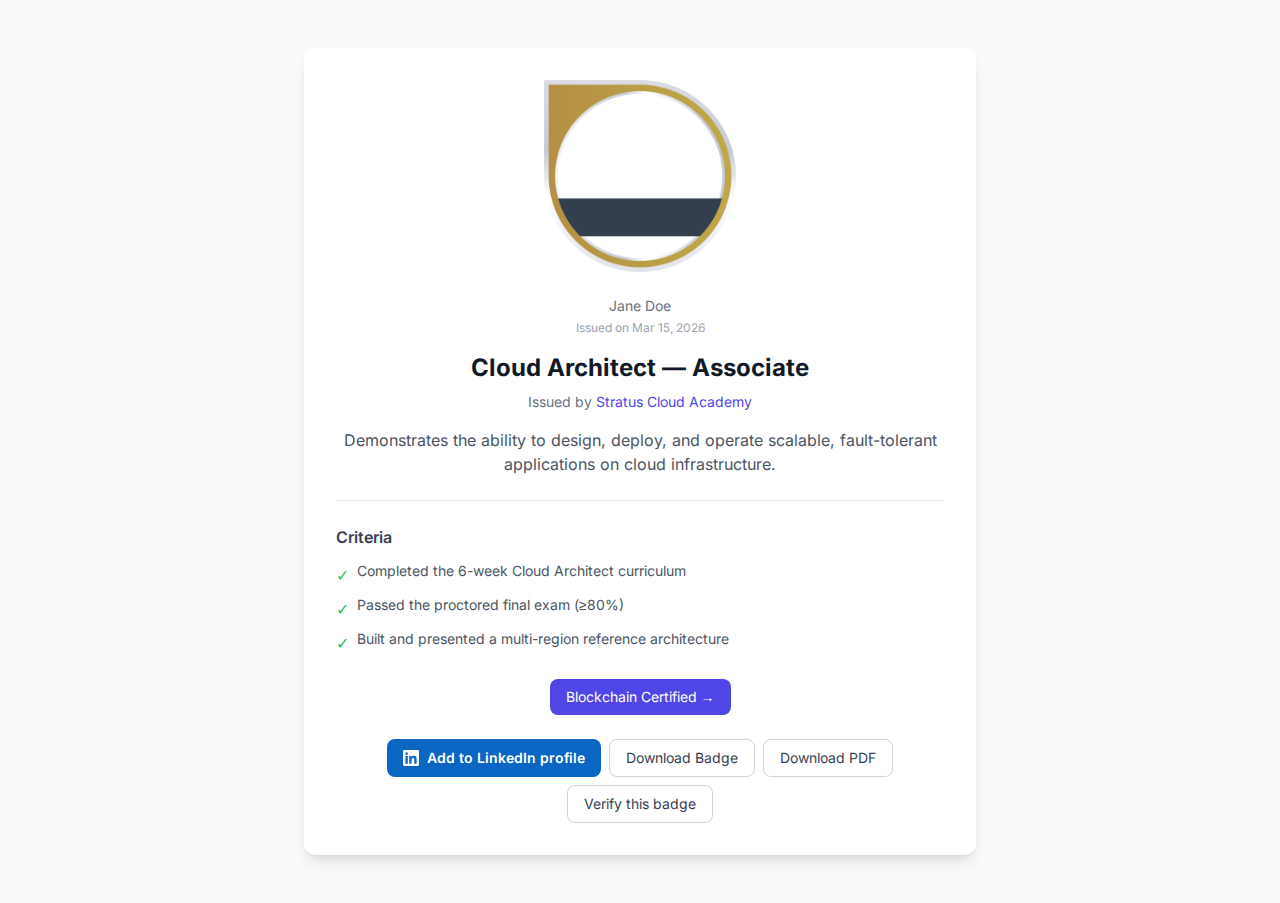
When you issue an award on https://badges.ninja, the recipient gets:
- A unique verification URL on the public award page.
- A QR code that links to the same page.
- A print-ready PDF certificate.
- Open Badge v2.0 JSON-LD, so the credential is readable by any system that understands the standard.
The recipient’s email address is stored as a SHA-256 hash in the Open Badge data, so the public page does not expose it. That matters in a compliance context, where you want the record to be checkable but not a directory of employee emails.
Model your mandatory training as badges
Resist the urge to create one giant “Compliance 2026” badge. A good badge set mirrors how your auditors think. A sensible structure looks like this:
- One badge per course. Information Security Awareness, Workplace Safety Basics, Code of Conduct, Data Protection. Each has its own criteria text describing what the employee had to complete.
- Versioning in the name or description. If the course content changes materially each year, put the year in the badge name (“Information Security Awareness 2026”) so the record shows which version the person completed.
- An expiry for anything that recurs. Annual training should expire after a year. The award supports an optional
expiresdate, so a credential that is out of date says so on its verification page. - Role-based badges where it matters. Forklift certification, first aid, or privileged-access handling are different from all-hands training. Keep them separate so you can see who holds what.
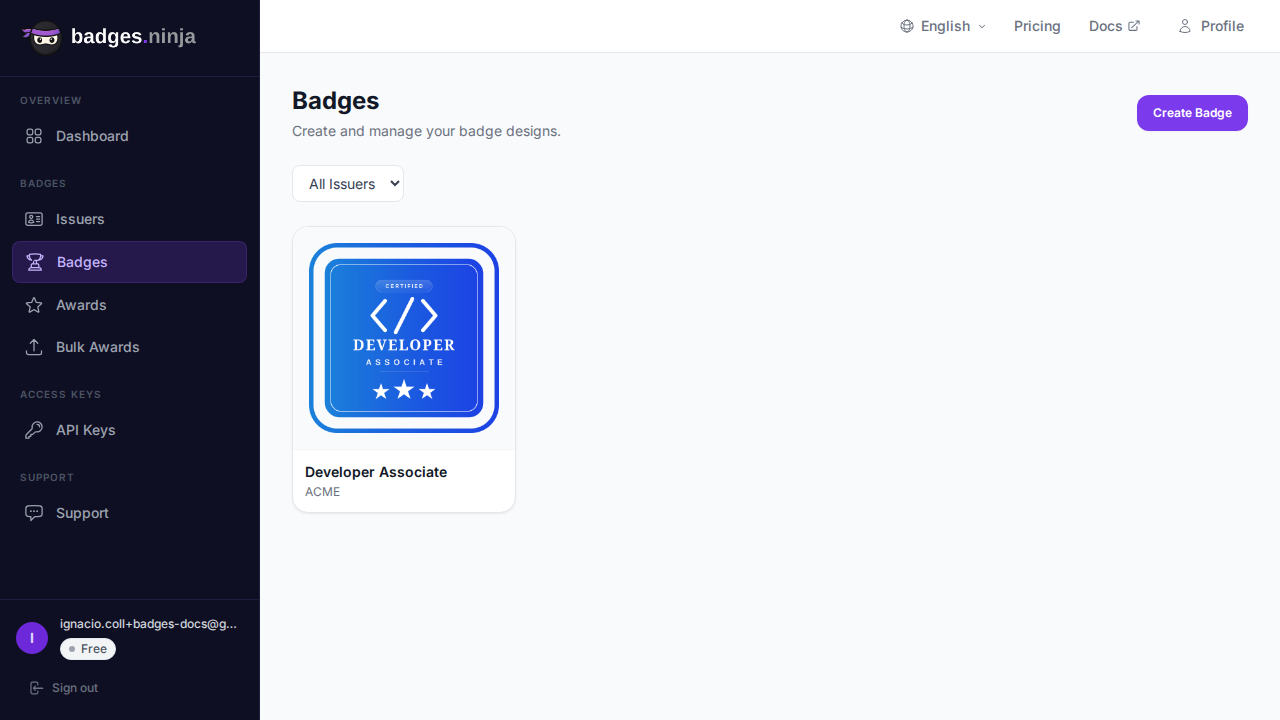
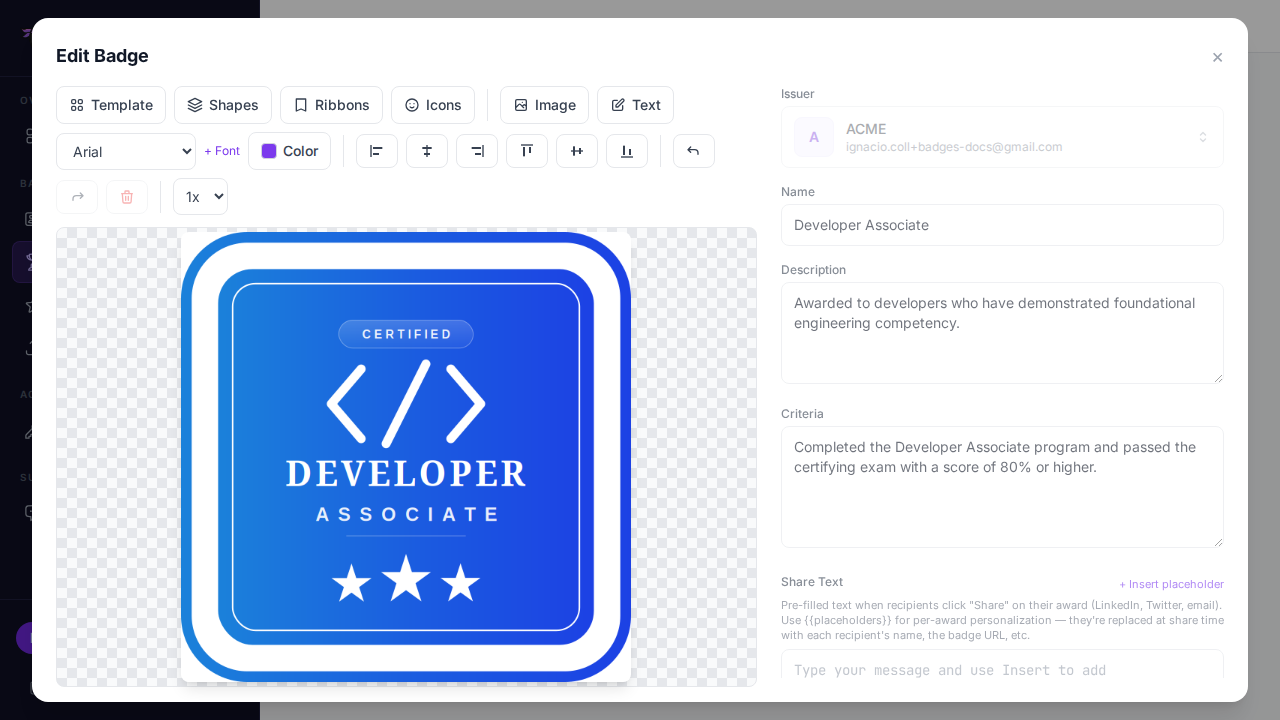
Use the visual designer to build each badge. You pick a template, shape, icon, and fonts, and you can add your own artwork. Consistency helps here: use the same shape and color family for all compliance badges so employees recognize them at a glance, and reserve a different look for optional learning. If you want a head start on layout, our bootcamp article walks through designing a layered badge set, and the same thinking applies to a corporate curriculum.
Issue to a whole cohort with a CSV
Compliance training almost always completes in waves: a department finishes on a deadline, a new-hire class finishes onboarding, a regional office finishes the local-law module. Issuing those one at a time would be miserable, and you do not need to.
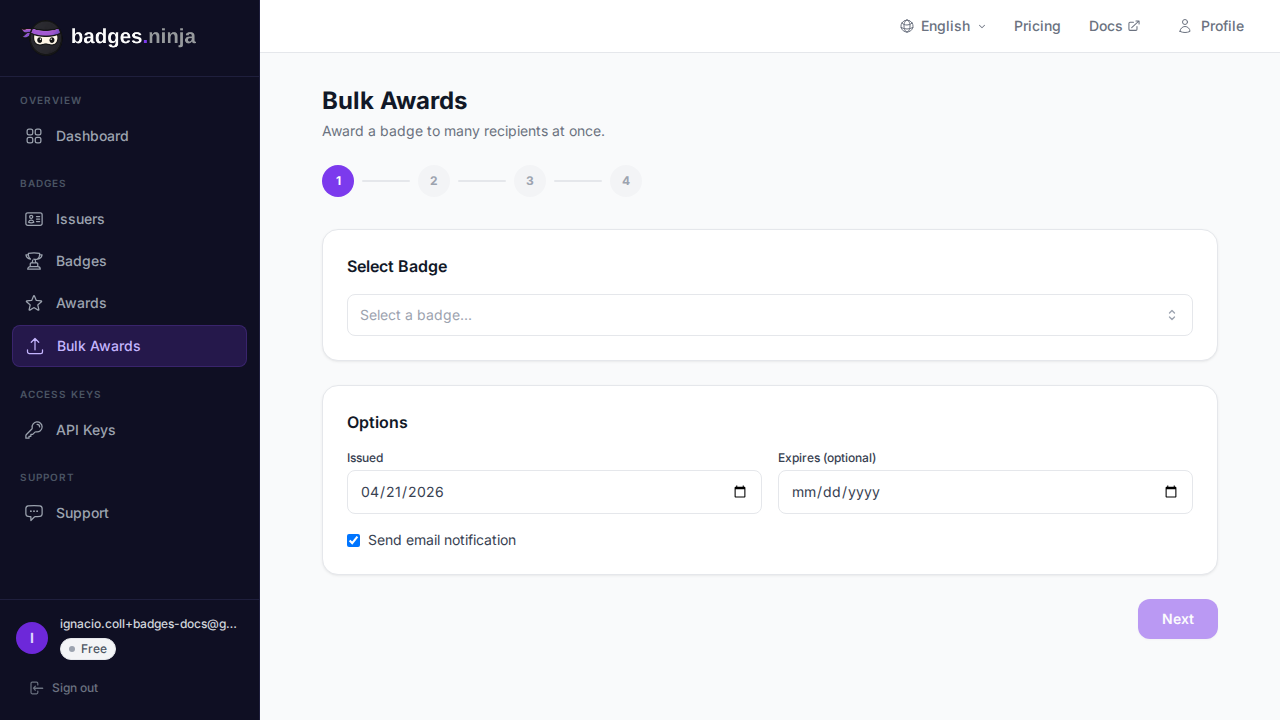
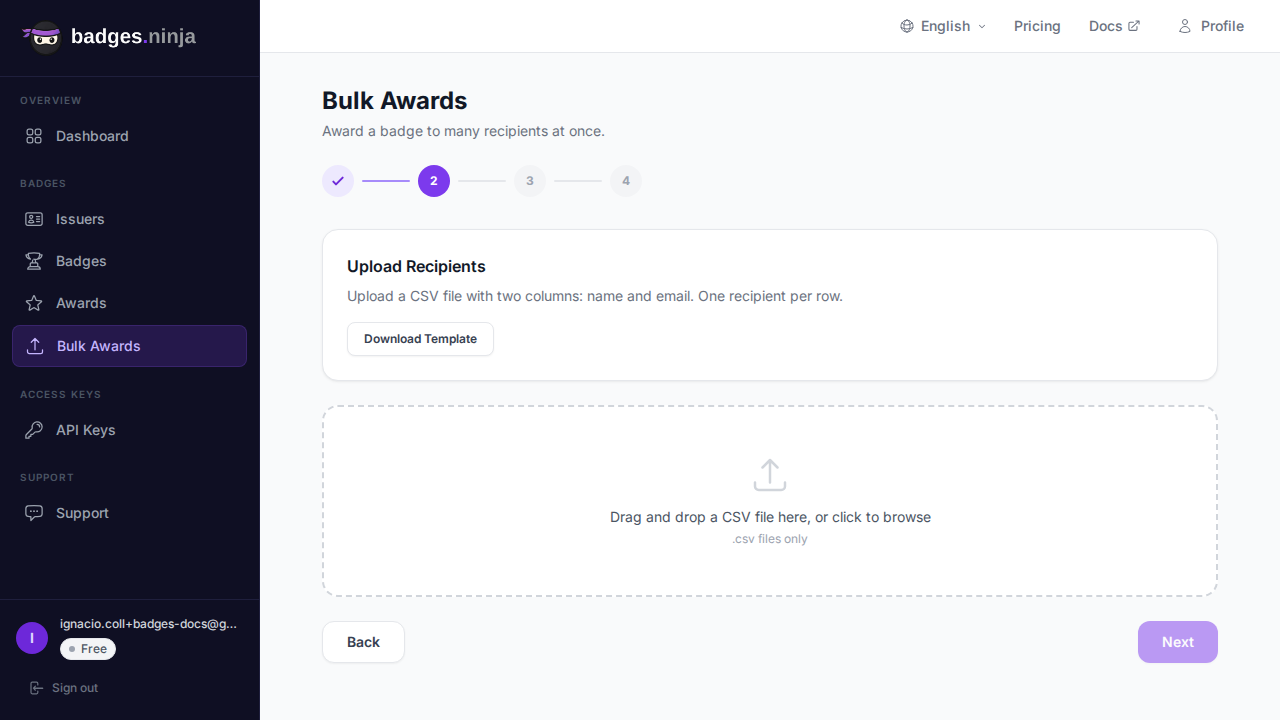
The dashboard has a bulk awards flow that takes a CSV. In short:
- Export the completion list from your LMS or HR system. You need a name and an email for each person.
- In the bulk awards screen, choose the badge and the issue date.
- Upload the CSV and review the rows.
- Start the run. It can be paused and resumed, which is handy if you are issuing a large batch and want to stop to fix a bad row.
A practical tip: the issue date should be the date the employee actually completed the training, not the date you ran the upload. If your export has a completion date column, use it. An auditor reading the record will care about when the training happened.
One more detail on names. The recipient name must be at least five characters, so a row with only “Li” or “Jo” will be rejected. Use the full legal or preferred full name, which also looks better on the PDF certificate. The full CSV walkthrough, including column layout, is in how to issue Open Badges from a CSV.
Automate it when completions come from a system
If your LMS or HR platform can call a webhook or an HTTP endpoint when a course is finished, you can issue the badge automatically instead of batching. This is the one place a short snippet is worth showing. A single award is one request:
const res = await fetch("https://api.badges.ninja/awards", {
  method: "POST",
  headers: {
    "X-Api-Key": "bws_YOUR_KEY_HERE",
    "Content-Type": "application/json",
  },
  body: JSON.stringify({
    badgeId: "<badge-id>",
    recipient: { name: "Jane Smith", email: "jane.smith@example.com" },
    issuedOn: Date.now(),
    // expires: one year later, for annual training
    expires: Date.now() + 365 * 24 * 60 * 60 * 1000,
  }),
});
const { awardId } = await res.json();
const verifyUrl = `https://badges.ninja/awards/${awardId}`;
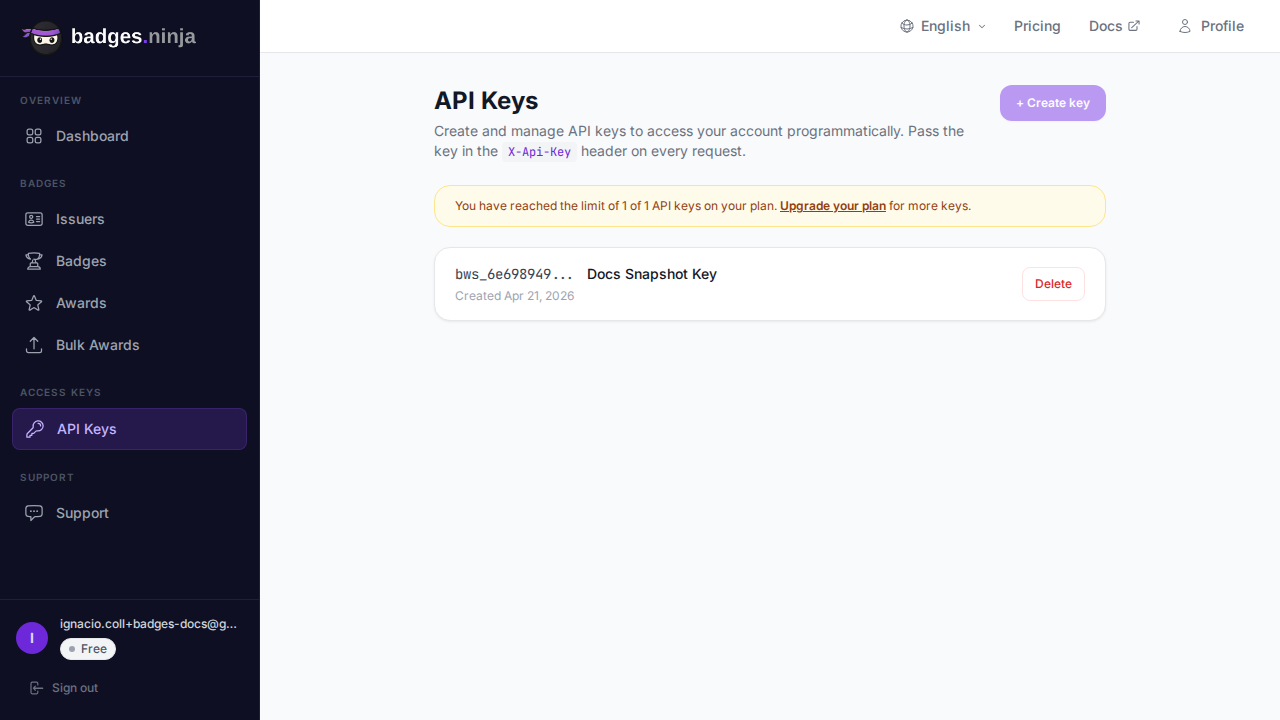
A successful call returns HTTP 200 with the awardId. The public verification page is at https://badges.ninja/awards/<awardId>, and you can store that URL back in your HR record so the two systems point at each other. The full request and error reference is in the awards API docs, and key handling is covered in the API keys guide.
If you would rather not write any code, the integrations guide lists the no-code options.
Build the audit trail
This is the part compliance teams care about. Here is what you can point to when someone asks for proof.
A public verification page per completion. Anyone with the URL can see the issuer, the badge, the criteria, the issue date, and the expiry if one was set. No account is needed, so an external auditor or a client’s security reviewer can check it themselves.
Machine-readable records. Each award is available as Open Badge v2.0 JSON-LD at https://api.badges.ninja/certify-badge/award/<awardId>. If a client wants the data in a structured form rather than a web page, that is the endpoint.
An awards list you can export. The awards screen lists everything you have issued, and you can select rows and export them to CSV. That gives you the spreadsheet an auditor expects, with the public URLs as the proof behind each row.
Engagement stats. You can see which recipients have viewed or shared their credential. This is not a compliance requirement, but it tells you whether people care about the badge at all, which feeds back into whether the training feels valuable.
A word of honesty on scope. A badge proves that a credential was issued by your organization on a given date. It does not by itself prove the employee understood the material; that depends on how you gate issuance. The strongest setups issue the badge only after a passing assessment score in the LMS, and say so in the badge criteria. Write the criteria for the auditor, not for marketing: “Passed the 20-question assessment with a score of 80 percent or higher” is more useful than “Demonstrated security awareness.”
Make recipients want to keep the badge
Compliance training has an image problem. People treat it as a chore. Badges flip part of that, because the output is something the employee owns.
- LinkedIn Add to Profile. Recipients can add the credential to their LinkedIn profile in a couple of clicks. For role-based or professional badges, that is a visible signal that your company invests in people, and it helps with retention and employer brand.
- The recipient portal. At https://badges.ninja/me, employees sign in with a magic link, with no password to forget, and see everything they have earned. They can also keep a public profile at
badges.ninja/u/{handle}. - A decent design. An employee will share a badge that looks good. They will not share a gray rectangle. This is where the visual designer earns its keep.
Not every compliance badge needs to be shared publicly, and for some internal-only courses you may prefer not to encourage it. Decide per badge. The point is that sharing is available when it helps.
Handle expiry and recertification
Compliance credentials are rarely permanent. Set the expiry when you issue, and decide in advance what happens on recertification:
- Annual refreshers: issue a new award for the new year’s badge. Last year’s expires on its own date and the history stays visible.
- Corrections: if you issued a credential by mistake, or a person’s training is later invalidated, an award can be revoked so the verification page no longer shows it as valid.
- Role changes: badges tied to a role should be reviewed when the person moves teams. Keep a short internal note on who owns that review.
None of this requires a separate database. Your awards list is the register.
A rollout plan that fits in a month
If you are starting from zero, here is a sequence that works without a big project:
- Week 1. Pick one course, ideally the annual security or code of conduct training, because everyone takes it. Design its badge and write the criteria text with your compliance owner.
- Week 2. Issue a small pilot batch from a CSV to a single team. Open the verification pages yourself and check the dates, names, and expiry.
- Week 3. Collect feedback from the pilot team and the person who will face the next audit. Adjust the criteria wording.
- Week 4. Issue the full cohort in bulk and send the share email so employees know what the badge is.
After the first cycle, decide whether to move to automatic issuance from your LMS. Many teams stay with CSV for a long time, and that is fine. Free accounts include 5 badges and 1,200 credentials a year, which covers a good number of small teams. The Starter plan is $9 per month and Pro is $29 per month; the pricing page has the current limits.
The short version
Digital badges turn a completion flag into a record that is portable, public, and checkable. Model each mandatory course as its own badge, put the year and the assessment standard in the criteria, set an expiry on anything recurring, and issue in bulk from the completion export. Your auditors get a URL per person, your employees get a credential they can keep, and you stop reconstructing history from spreadsheets.
Ready to issue your first verifiable credential? Start free at badges.ninja — visual designer, public verification page, PDF certificate, Open Badge v2.0 output. No credit card required.
About the author
Nacho Coll
Founder & Engineer at Badges Ninja
Nacho founded Badges Ninja to make issuing verifiable digital credentials as simple as a single API call — Open Badge v2.0 badges and certificates, minted, hosted, and verifiable without standing up your own issuer infrastructure. Writes about the Open Badges spec, credential verification, and running a credentialing platform serverless on AWS, from the operator side of the wire.
More from Nacho Coll
- Coding Bootcamp Open Badges: Issuing Verifiable Credentials at Cohort ScaleNov 19, 2026 · 11min read
- Setting Up Webhooks for Badge Events: Real-Time Integration with Your BackendNov 16, 2026 · 9min read
- Open Badge Expiration and Renewal: Lifecycle Management for Time-Limited CredentialsNov 12, 2026 · 11min read