Best Badge & Certificate Software 2026: Verifiable, Free vs Paid
Best badge and certificate software with verifiable credentials for associations and training programs: 2026 price table, free tier and bulk issuing.
 By Nacho Coll
 Nacho founded Badges Ninja to make issuing verifiable digital credentials as simple as a single API call — Open Badge v2.0 badges and certificates, minted, hosted, and verifiable without standing up your own issuer infrastructure.
This guide is about software for creating and issuing verifiable certificates to people — course graduates, trainees, and certification-holders — not SSL/security certificates. The tools split into three tiers. On one end you’ve got a design tool like Canva plus a spreadsheet of names — flexible, cheap, and completely unverifiable. On the other end you’ve got enterprise credentialing platforms that require a sales call before you see a price. Most training providers, bootcamps, and certification bodies need something in between: a tool that produces a certificate recipients (and their employers) can actually verify, without an enterprise contract.
⚡ Start free — no card, no sales call. Badges Ninja issues 1,200 verifiable credentials a year on the free plan, with the full visual designer and Open Badge v2.0. Create your free account →
This comparison looks at the software people actually consider for issuing certificates in 2026 — Badges Ninja, Sertifier, Accredible, Certifier, and the “design it yourself” Canva-plus-manual-process approach — and ranks them for one specific buyer: a program issuing somewhere under 10,000 certificates a year, working from a training or ops budget rather than an enterprise procurement budget.
Digital Certificate Software Checklist: 5 Things It Must Do
Before the table, it’s worth being precise about what separates a real certificate platform from a design tool with a mail-merge script bolted on:
- A design surface — recipients judge a program partly by how the certificate looks. A plain PDF with a name typed into a template reads differently than a properly designed credential.
- Verifiable output — a certificate someone can screenshot or edit in Photoshop isn’t a credential, it’s a picture. Real certificate software issues something a third party can independently verify, typically against the Open Badge v2.0 standard, via a public URL that doesn’t require an account to check.
- A PDF for printing/attaching — certificates still get attached to emails, printed for a wall, or uploaded to a resume. The PDF and the verifiable version should come from the same design, not two separate workflows.
- Recipient delivery — how the recipient actually receives and can find their certificate again matters as much as how it looks on day one.
- Batch issuance — a cohort of 50 people finishing a course at once needs a CSV upload, not 50 manual form submissions.
Canva-plus-manual fails on verifiability and batch issuance. Some certificate platforms are strong on batch and delivery but weak on design freedom or don’t produce an Open Badge alongside the PDF. That gap is where the comparison below gets interesting.
Why “verifiable” is the dividing line
A PDF certificate, by itself, is just an image with text on it. Nothing stops a recipient from opening it in an editor and changing the date, the grade, or the name — and nothing lets a skeptical employer, licensing board, or client check whether the certificate is real. That’s the gap real certificate software closes.
The Open Badge v2.0 standard is the most widely adopted way to close it. Instead of trusting the PDF itself, verification happens against a public, hosted assertion: a JSON-LD document describing who issued the credential, who received it, when, and under what criteria. Anyone with the link can check it without creating an account. On Badges Ninja, that assertion lives at https://api.badges.ninja/certify-badge/award/{guid} and the human-readable version at https://badges.ninja/awards/{guid} — both public, and the recipient’s email is stored as a SHA-256 hash rather than plain text, so the assertion itself doesn’t leak personal data to anyone who stumbles onto the URL. A QR code on the certificate PDF points straight to that verification page, so a printed certificate is just as checkable as a digital one.
This is the practical reason the “PDF from Canva” approach can’t compete on trust, no matter how good the design looks: there’s no assertion behind it, so there’s nothing to check.
The Comparison Table
| Platform | Free tier | Entry paid price | Visual design freedom | PDF certificate + Open Badge from one design | Verification | Batch issuance |
|---|---|---|---|---|---|---|
| Badges Ninja | Yes — $0/mo, 1,200 credentials/yr, 5 badge designs | $9/mo (Starter, 12,000/yr, 25 badge designs) | Full visual designer — 80+ shape templates, custom colors, 11 fonts, logo/background upload, snap-to-grid | Yes — one design produces both the PDF certificate and the Open Badge v2.0 credential | Public page + QR code, no signup required, Open Badge v2.0 JSON-LD | Dashboard CSV upload with pause/resume, or one POST /awards call per recipient |
| Sertifier | 14-day trial only | Monthly SaaS + per-credential fees | Template-based, limited customization | Yes, both outputs from templates | Hosted verification page, basic recipient profile | CSV upload + bulk email delivery |
| Accredible | No | Enterprise, typically $500–1,000+/mo | Template-based, strong white-label options | Yes, plus rich analytics on views/shares | White-label, no-signup verification page | CSV + API, built for large cohorts |
| Certifier | Limited free trial, not ongoing | Paid plans starting in the tens of dollars/mo | Design-forward template editor, drag-and-drop elements | Yes, PDF + shareable link | Hosted verification page | CSV bulk import |
| Canva + manual process | Free (Canva free tier) | $0, but no verification infrastructure | Best-in-class design freedom | PDF only — no verifiable credential layer | None — a downloaded PDF can be edited by anyone | None — manual mail merge or copy-paste per recipient |
A caveat on Accredible and Certifier’s pricing: neither publishes full self-serve rate cards for every tier, so treat the figures above as directional. Every row except Canva-plus-manual produces a genuinely verifiable credential; the differences are in cost, design freedom, and how much manual work batch issuance still takes.
Where each one actually wins
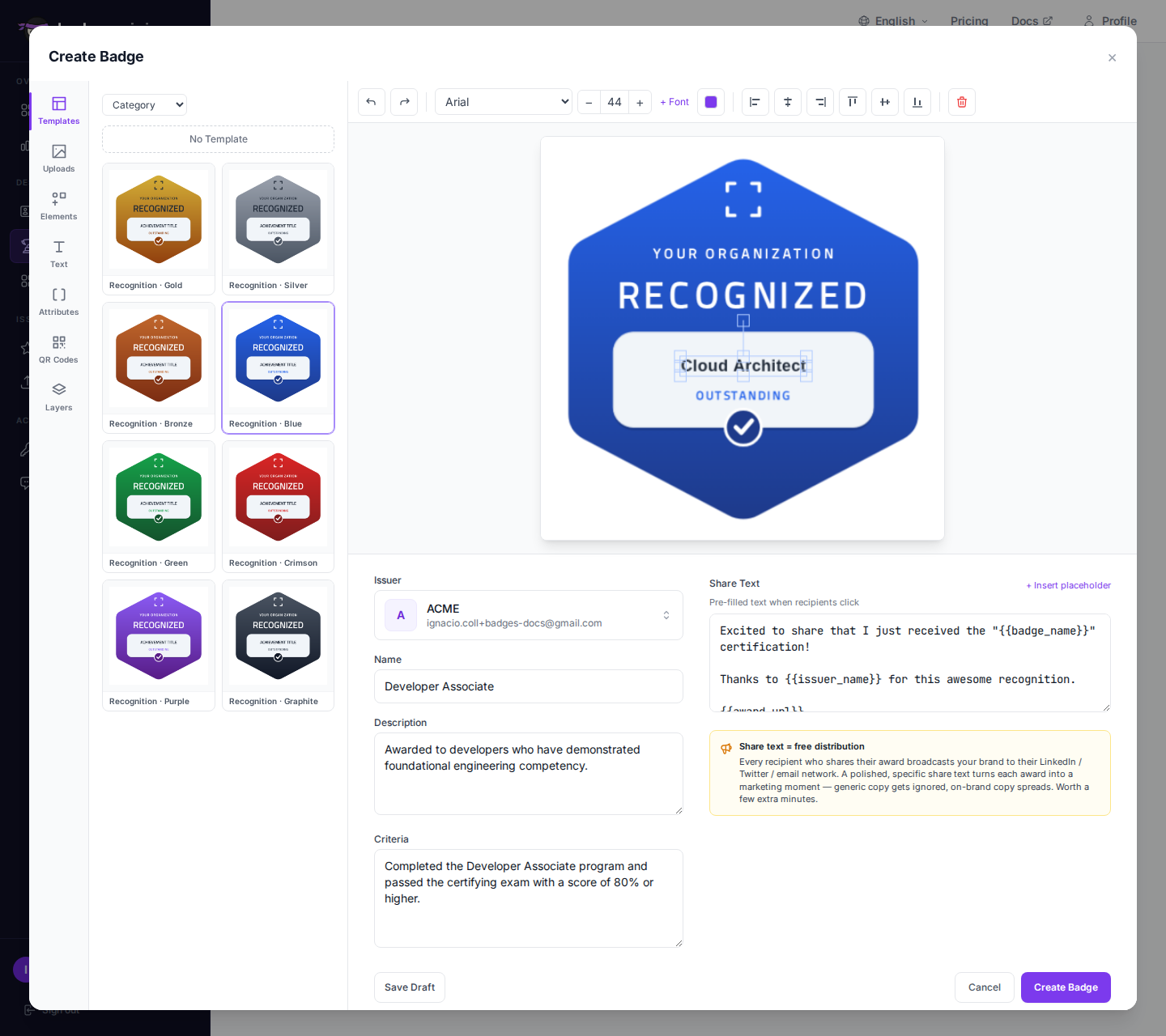
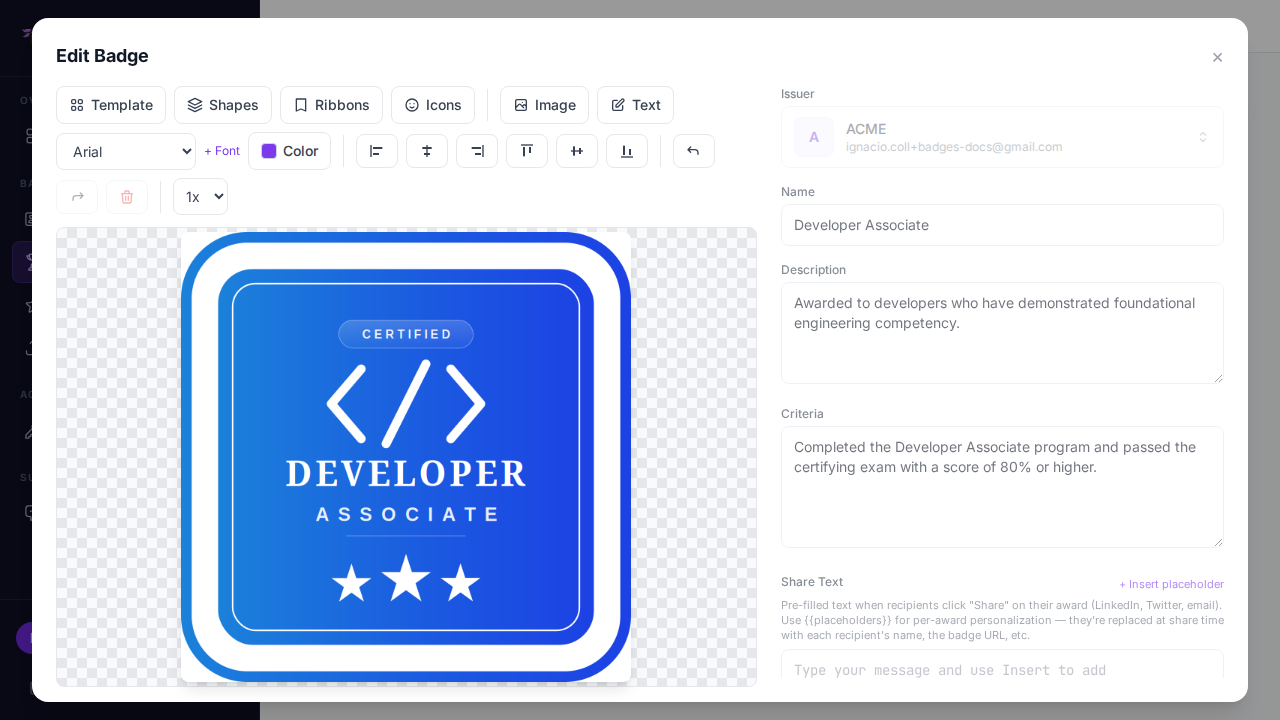
Badges Ninja is the only option here with both a real visual designer (not just template swaps) and an ongoing free tier that includes API access and Open Badge v2.0 output. The practical edge for certificate use cases specifically: you design the credential once in the badge designer, and every award automatically produces both the PDF certificate people expect and the verifiable Open Badge behind it — no separate certificate-generation step.
Sertifier is a reasonable choice if you’re already committed to its bulk-email delivery infrastructure and don’t mind a credit-based cost model that scales with volume. It doesn’t have an ongoing free tier, so you can’t run a small pilot program indefinitely without paying. See our full Sertifier comparison for the pricing breakdown.
Accredible is built for enterprise credentialing programs — deep analytics on who viewed and shared a credential, strong white-labeling, and integrations that matter at scale. If your program issues tens of thousands of certificates a year and has a real procurement budget, it’s worth the enterprise conversation. For a program under a few thousand certificates a year, it’s usually more platform than you need. Our Accredible comparison covers this trade-off in detail.
Certifier leans design-forward with a drag-and-drop editor, which puts it closer to Badges Ninja on the design axis than Sertifier or Accredible. Where it differs is the free tier — Certifier’s is a time-limited trial rather than an ongoing plan, so a program that wants to stay small and free indefinitely will outgrow it.
Canva plus manual process is genuinely fine for a one-off certificate — a single employee-of-the-month award, a small internal recognition. It falls apart the moment you need more than a handful of recipients, because there’s no verification layer at all: anyone with basic image-editing skills can alter a name or date on a plain PDF, and there’s no URL a skeptical employer or licensing board can check against.
What happens after the recipient gets it
Design and verification get most of the attention in a comparison like this, but what happens after issuance matters just as much for whether the certificate actually gets used. A PDF that lands in an inbox and never gets opened again isn’t doing much for the recipient or for your program’s visibility.
Badges Ninja’s recipient portal (badges.ninja/me) gives every recipient a running collection of every credential they’ve earned across every issuer on the platform, accessible through magic-link sign-in — no password to forget, no account-creation friction between “you earned this” and “you can see it.” Recipients also get a public profile at badges.ninja/u/{handle} they can point people to, and a one-click Add-to-LinkedIn-Profile flow that drops the credential straight into their Licenses & Certifications section. Accredible offers something comparable at the enterprise tier; Sertifier and Certifier provide a basic hosted page and recipient profile without the same emphasis on a persistent, cross-issuer portfolio. Canva-plus-manual has nothing here at all — the certificate lives wherever the recipient happened to save the file.
That difference compounds over time: a credential a recipient can easily reshare gets reshared, which is free distribution for the issuing program every time someone posts it.
Decision tree by volume and budget
- Under 1,200 certificates/year, $0 budget, want verifiable output: Badges Ninja’s free tier. This is the only option in the table with a genuine, ongoing free plan that includes Open Badge v2.0 verification and API access — not a time-boxed trial.
- 1,200–12,000/year, small paid budget ($9–30/mo): Badges Ninja Starter or Pro, or Certifier if the drag-and-drop editor specifically fits your workflow better and you don’t need a free tier.
- A few thousand to ~10,000/year, willing to pay a monthly SaaS fee plus per-credential costs: Sertifier, if its bulk-email delivery tooling matters more to you than flat-rate pricing predictability.
- Tens of thousands+/year, enterprise procurement, white-label requirement: Accredible. At this scale the analytics and integration depth typically justify the cost.
- A single certificate, or a handful, no recurring need: Canva is fine — just be honest with recipients that it isn’t independently verifiable.
Designing your first certificate
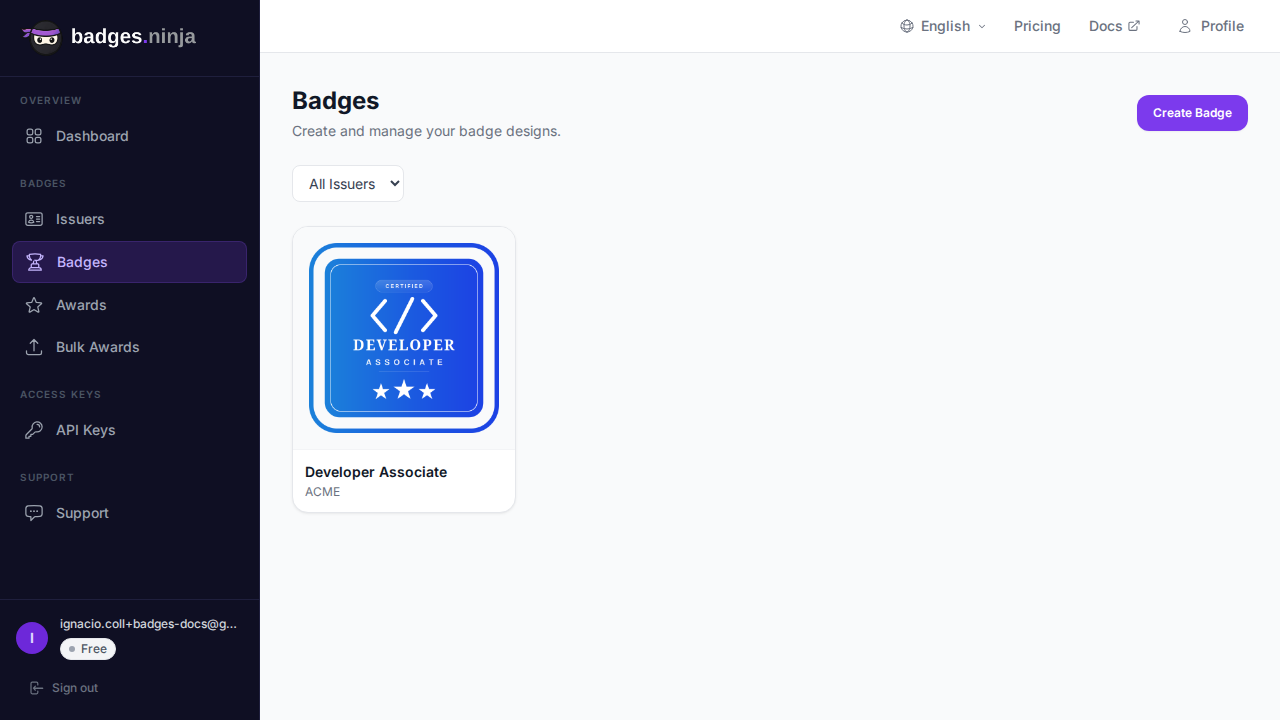
If you’re starting from zero, the fastest path is the visual designer: pick a shape template, set your organization’s colors, upload a logo, and the same design becomes both the printable certificate and the verifiable Open Badge. For a full walkthrough, see Designing Your First Verifiable Digital Certificate.
When you’re ready to issue to a whole cohort at once instead of one recipient at a time, the bulk-awards guide covers the CSV upload flow — including how to pause and resume mid-batch if the browser closes. Under the hood, both the dashboard and a direct POST /awards call use the same shape:
{
  "badgeId": "your-badge-id",
  "recipient": { "name": "Jane Smith", "email": "jane@example.com" },
  "issuedOn": "2026-09-10"
}
That returns { "awardId": "<id>" } — the verification URL is https://badges.ninja/awards/<awardId>, and it works without the recipient creating an account first.
The bottom line
If you want a real design tool, a free tier that isn’t a countdown clock, and a verifiable credential (not just a PDF) from one workflow, Badges Ninja is the strongest fit for programs under 10,000 certificates a year. Larger, enterprise-scale programs with dedicated procurement budgets are usually better served by Accredible. Sertifier and Certifier both sit in between, worth considering if their specific delivery or design tooling matches your existing process more closely than a from-scratch evaluation would suggest.
Ready to issue your first verifiable credential? Start free at badges.ninja — visual designer, public verification page, PDF certificate, Open Badge v2.0 output. No credit card required.
Related reading: Free digital badge & certificate maker → · Badges Ninja plans & pricing · Cheapest Open Badges platform · Credly alternative · Certifier alternative · Best Open Badges platforms (ranked)
About the author
Nacho Coll
Founder & Engineer at Badges Ninja
Nacho founded Badges Ninja to make issuing verifiable digital credentials as simple as a single API call — Open Badge v2.0 badges and certificates, minted, hosted, and verifiable without standing up your own issuer infrastructure. Writes about the Open Badges spec, credential verification, and running a credentialing platform serverless on AWS, from the operator side of the wire.