Discord Server Achievement Badges: Open Badges Members Can Take Anywhere
Reward Discord members with portable Open Badges they can show on LinkedIn — not just a server-side role. Bot setup + slash command walkthrough.
 By Nacho Coll
 Nacho founded Badges Ninja to make issuing verifiable digital credentials as simple as a single API call — Open Badge v2.0 badges and certificates, minted, hosted, and verifiable without standing up your own issuer infrastructure.
Discord roles are a good way to say “this person did something” inside your server. They are a poor way to say it anywhere else. The moment a member leaves, changes servers, or applies for a job, the role is invisible. A contributor who spent a year triaging issues in your open-source community has nothing to point to except a screenshot.
An Open Badge fixes that. It is a verifiable credential with its own public page, issued by your organization, that the member can add to LinkedIn, drop into a CV, or link from a GitHub profile. This tutorial shows how to connect the two worlds: a server admin types a slash command, a small bot issues the credential through the https://badges.ninja API, and the member gets a direct message with the link.
Most community managers will never write the bot themselves, so we start with the decision that matters (what deserves a badge) and keep the code short and illustrative. If you already have a developer in your community, hand them the second half of this post.
Why a badge, when you already have roles
A role and a badge solve different problems:
- A role is local. It controls channel access and shows a color. It lives and dies with the server.
- A badge is portable. It has a unique verification URL that anyone can open without signing up, a QR code, and an Open Badge v2.0 JSON-LD record behind it.
- A role is self-declared by the server. A badge is issued by a named issuer, so a hiring manager can see who vouches for it.
You do not have to choose. Keep the role for the gold name color, and issue the badge for the milestones that matter outside Discord. A good rule of thumb: if you would be happy to see the achievement on someone’s LinkedIn profile, it deserves a badge. If it is a perk (“early supporter”), keep it a role.
What deserves a badge
Badge inflation is real. If everyone who posts a message gets one, the credential means nothing. Communities that get this right tend to reserve badges for a small number of clear milestones:
- Open-source contributors. First merged pull request, ten merged pull requests, maintainer status.
- Course graduates. Members who finished a cohort-based course run in your server and passed the final project.
- Hackathon winners and finalists. One badge per placement, with the event name and year in the badge text.
- Event speakers and mentors. People who gave their time to the community.
- Moderators. A badge for a completed moderation term is a genuine résumé line for volunteers.
Write the criteria down on the badge itself. A badge that says “Hackathon Winner” is vague; one that says “First place, Spring Build Weekend 2026, judged by the maintainer panel” is something an employer can evaluate.
Step 1: Design the badge in the visual designer
You do not need to touch code for this part. In your https://badges.ninja dashboard:
- Register your organization as an issuer if you have not already. Issuers are verified automatically when the issuer email matches the email you signed up with.
- Open the visual designer and pick one of the 80+ templates. Change the shape, icon, colors and font so it matches your server’s identity.
- Save the badge, then note its ID. You will give that ID to the bot.
Repeat for each milestone. Three or four badges is plenty to start, and the Free plan covers 5 badges and 2 issuers, which is enough for a small community. Check the current limits on the pricing page before you plan a larger rollout.
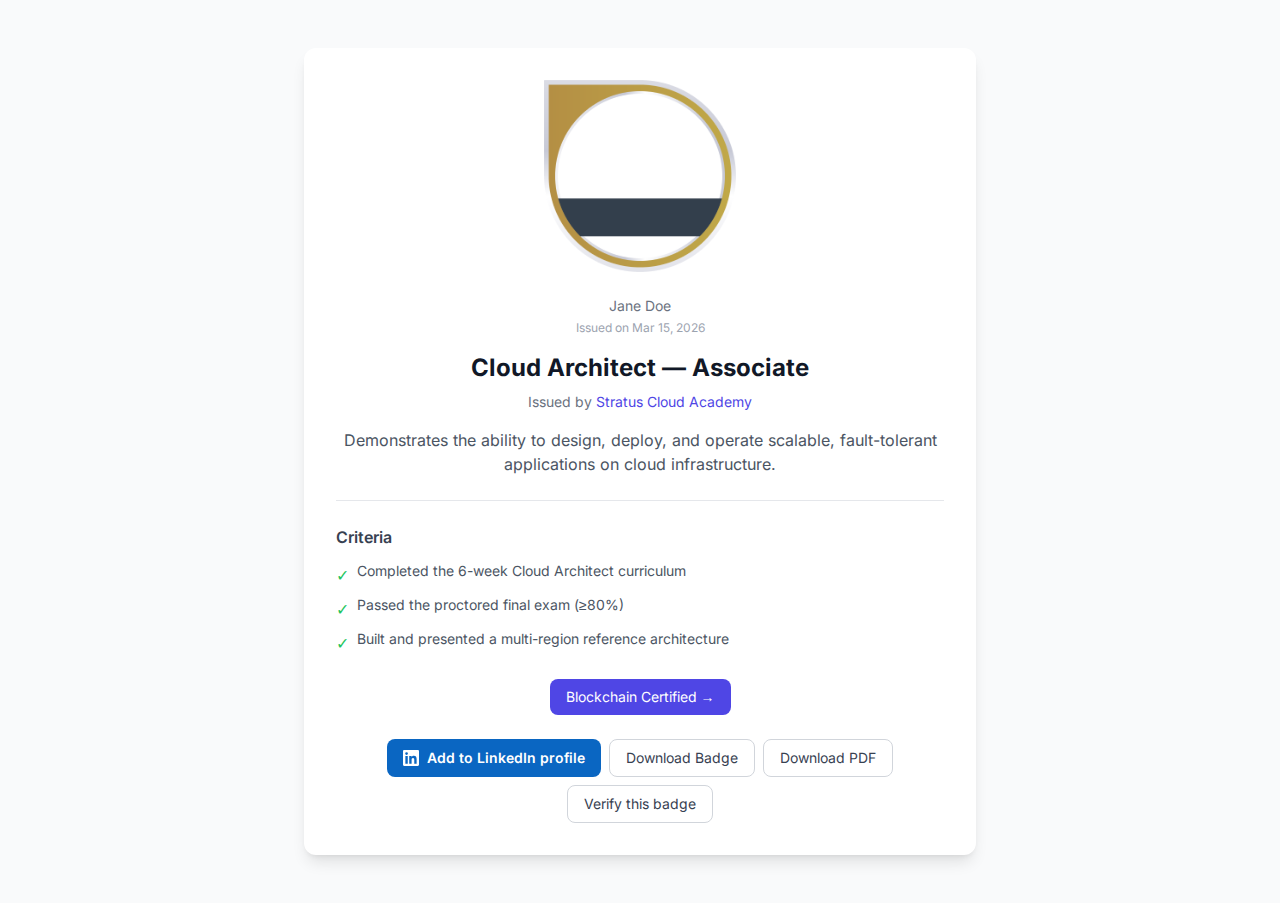
The screenshot above is what a member sees when they open their credential link: the badge, the issuer, the criteria, and a verification status that works without signing in.
Step 2: Create an API key
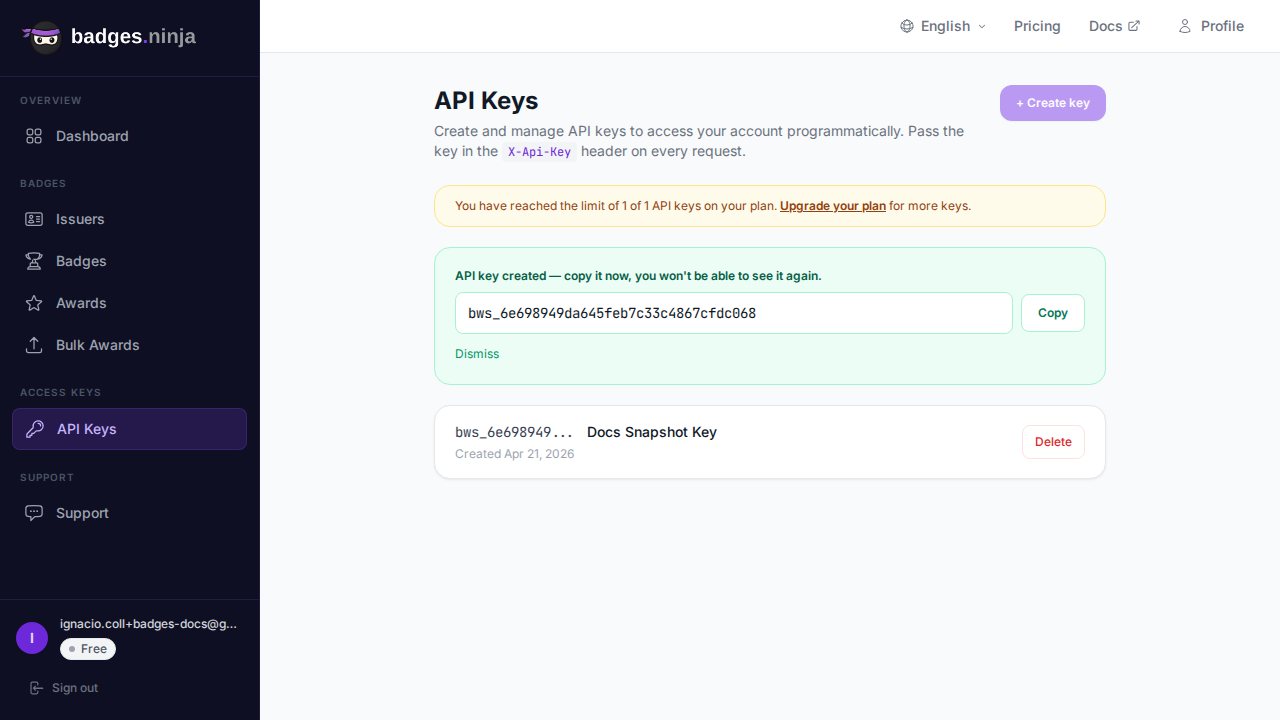
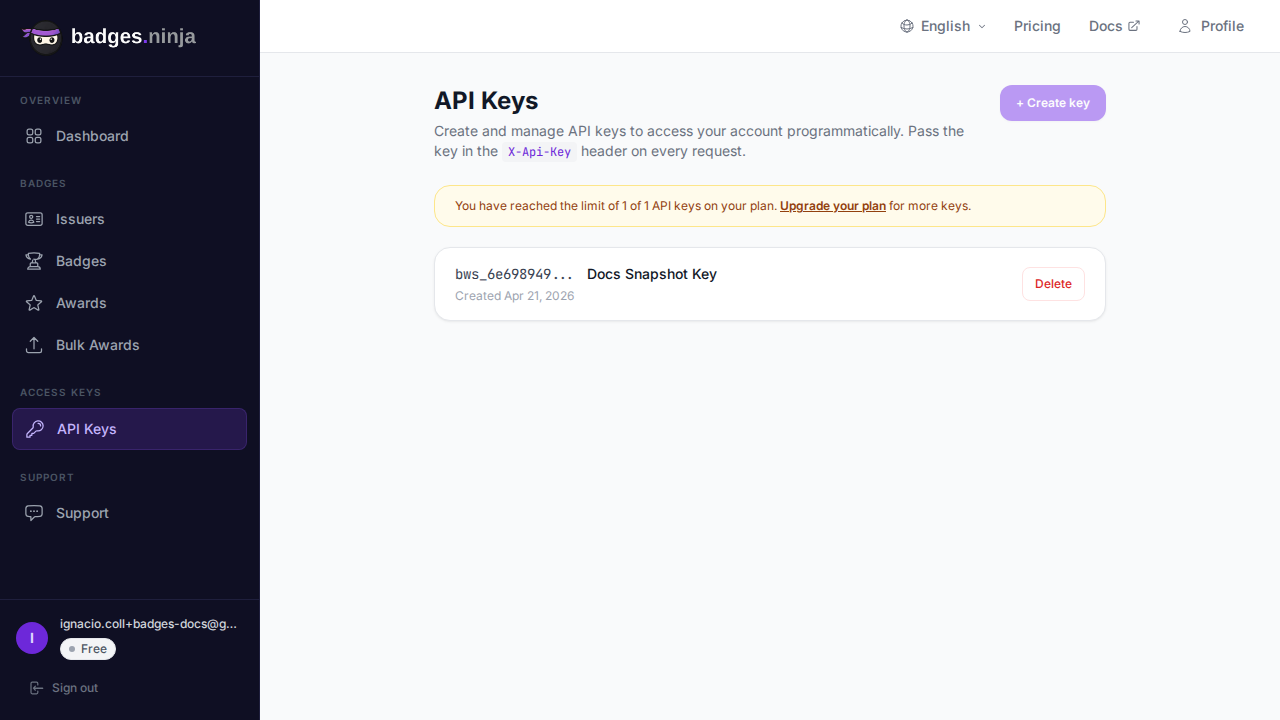
The bot needs permission to issue awards on your behalf. In the dashboard, open the API keys page and create a key. It looks like bws_ followed by 32 hex characters. Treat it like a password: store it in an environment variable on the machine that runs the bot, never in the repository. The API keys guide walks through creation and rotation.
If you only want to try the idea first, skip the bot entirely. The dashboard lets you issue an award by hand, or upload a CSV for many recipients at once, and you can paste the resulting links into a Discord announcement. The bot is for communities that award badges often enough that manual issuing becomes a chore. Our post on issuing Open Badges from a CSV covers the manual route.
Step 3: Understand what the API needs
The call the bot makes is a single POST /awards. The body has three required parts:
badgeId: the ID of the badge you designed.recipient: an object withname(at least 5 characters) andemail.issuedOn: when the achievement happened, as epoch milliseconds or an ISO date.
A successful call returns HTTP 200 with { "awardId": "..." }. The verification page for that award is https://badges.ninja/awards/<awardId>. Full details are in the awards API reference.
Two Discord-specific wrinkles are worth planning for:
Discord does not give bots a member’s email address. Bots can see usernames and IDs, but not emails. The admin running the command has to supply the email, or the member has to give it to you through a form or a verified-email step in your onboarding. The simplest approach is to make the email an option on the slash command. Credentials are issued to an email address, and the platform stores recipient emails as SHA-256 hashes in the Open Badge record, so the address is not exposed on the public page.
Names must be at least 5 characters. Discord display names are often short (“Al”, “Jo”) or a handle. The bot should ask for the real name as a command option, or fall back to a clear error message rather than sending a request that the API will reject with a 400.
The platform does not message the member on Discord. Badges Ninja records the award and gives you the verification link. Delivering that link to the member is the bot’s job, which is why the bot sends a direct message itself.
Step 4: The slash command bot
Here is a compact bot using Discord.js v14. It registers nothing fancy: one command, /award, restricted to people with the Manage Server permission.
// award-bot.mjs
import { Client, GatewayIntentBits, SlashCommandBuilder, PermissionFlagsBits } from "discord.js";
// —— badge IDs from the visual designer, keyed by a short choice name
const BADGES = {
  contributor: process.env.BADGE_CONTRIBUTOR,
  graduate: process.env.BADGE_GRADUATE,
  hackathon: process.env.BADGE_HACKATHON,
};
export const awardCommand = new SlashCommandBuilder()
  .setName("award")
  .setDescription("Issue an Open Badge to a member")
  .setDefaultMemberPermissions(PermissionFlagsBits.ManageGuild)
  .addUserOption((o) => o.setName("member").setDescription("Who earned it").setRequired(true))
  .addStringOption((o) =>
    o.setName("badge").setDescription("Which badge").setRequired(true)
      .addChoices(...Object.keys(BADGES).map((k) => ({ name: k, value: k }))))
  .addStringOption((o) => o.setName("name").setDescription("Member's full name").setRequired(true))
  .addStringOption((o) => o.setName("email").setDescription("Member's email").setRequired(true));
async function issueAward({ badgeId, name, email }) {
  const res = await fetch("https://api.badges.ninja/awards", {
    method: "POST",
    headers: { "X-Api-Key": process.env.BADGES_API_KEY, "Content-Type": "application/json" },
    body: JSON.stringify({ badgeId, recipient: { name, email }, issuedOn: Date.now() }),
  });
  if (!res.ok) throw new Error(`Badges API returned ${res.status}`);
  const { awardId } = await res.json();
  return `https://badges.ninja/awards/${awardId}`;
}
const client = new Client({ intents: [GatewayIntentBits.Guilds] });
client.on("interactionCreate", async (interaction) => {
  if (!interaction.isChatInputCommand() || interaction.commandName !== "award") return;
  await interaction.deferReply({ ephemeral: true });
  const member = interaction.options.getUser("member");
  const name = interaction.options.getString("name");
  const email = interaction.options.getString("email");
  if (name.length < 5) {
    return interaction.editReply("The API needs a full name of at least 5 characters.");
  }
  try {
    const url = await issueAward({
      badgeId: BADGES[interaction.options.getString("badge")],
      name,
      email,
    });
    await member.send(`Congratulations! Your badge is ready: ${url}`).catch(() => null);
    await interaction.editReply(`Badge issued to ${member.tag}: ${url}`);
  } catch (err) {
    await interaction.editReply(`Could not issue the badge: ${err.message}`);
  }
});
client.login(process.env.DISCORD_TOKEN);
A few notes on the design:
- The command reply is ephemeral, so the email address you typed is visible only to you, not to the channel.
- The DM is best effort. Members can disable direct messages from server members, so
.catch(() => null)keeps the command from failing. Because the admin reply includes the link, you can always paste it manually. - Badge IDs live in environment variables, not in the code, so you can swap or add badges without redeploying logic.
You also need to register the slash command with Discord once (using awardCommand.toJSON() with the Discord REST client), and invite the bot to your server with the applications.commands and bot scopes. Discord’s developer documentation covers both steps, and the API quickstart shows the same authentication pattern in other languages.
Step 5: The member experience
What happens on the receiving end matters as much as the bot.
- The member gets a DM with the verification link, opens it, and sees the credential page with the badge, your issuer name and the criteria.
- From the same page they can share the link, print an A4 PDF certificate, or scan the QR code to verify it from a phone.
- The member can add the credential to LinkedIn using Add to LinkedIn, so it appears in the Licenses & Certifications section with a working verification URL.
- If they sign in to the recipient portal at https://badges.ninja/me with a magic link (no password), all the badges issued to their email appear in one place, and they can publish a public profile at
https://badges.ninja/u/<handle>.
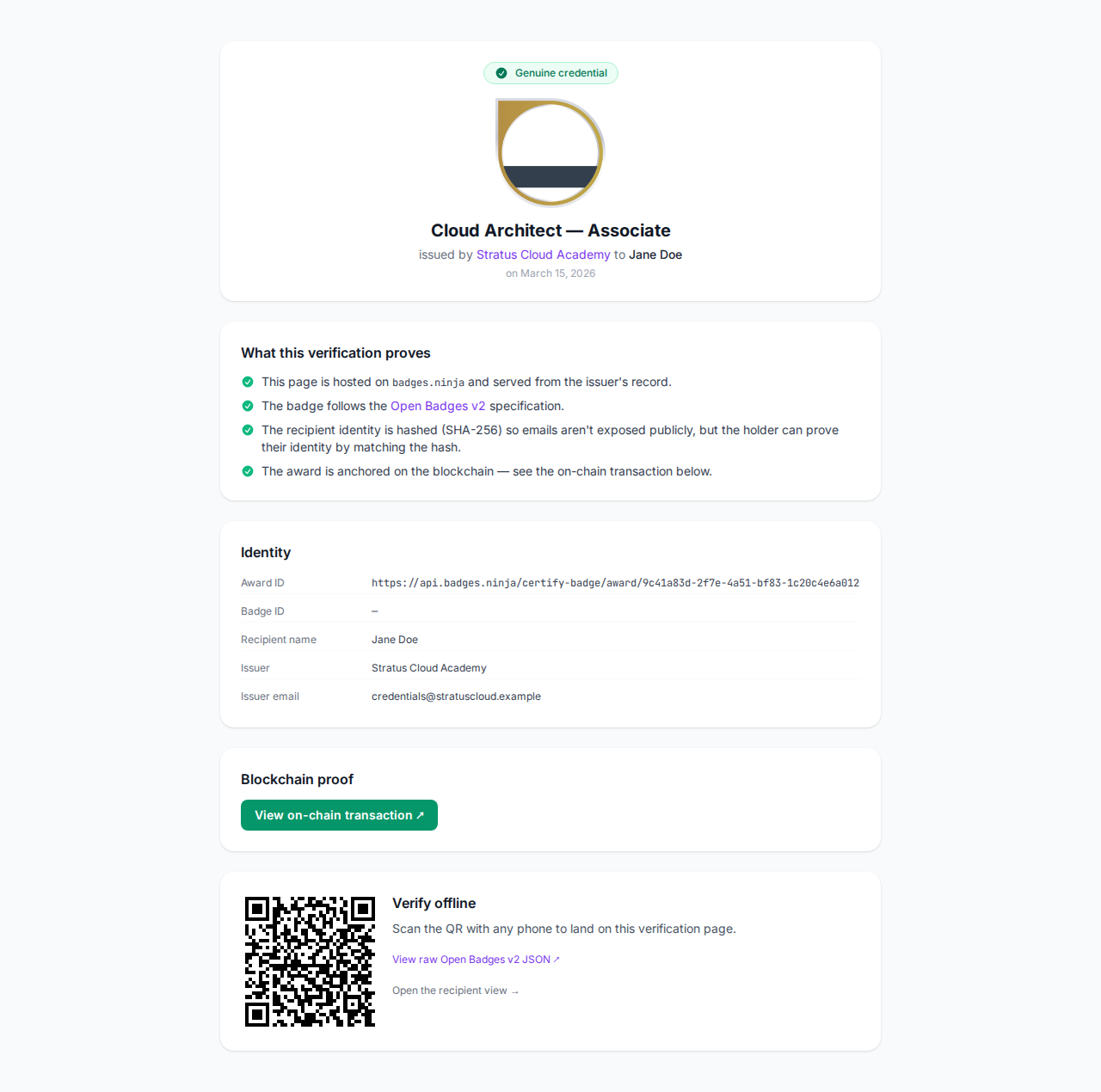
That last point is where the value compounds. A member who earns three badges across different communities ends up with a single page they can link from a CV, and you did not have to build anything to host it. Our sharing guide describes the options in more detail.
Step 6: Keep the program credible
A bot makes issuing easy. That is both the point and the risk. Some habits that keep your badges meaningful:
- Require two humans for high-value badges. Let any moderator issue the “Contributor” badge, but restrict the “Maintainer” badge to a smaller role by creating a second command with stricter permissions.
- Keep a log. Have the bot post to a private
#badge-logchannel with who issued what to whom. If a badge is issued by mistake, you will want a record. - Publish the criteria. Pin a message listing each badge and how it is earned. People trust a badge more when they can see the bar.
- Avoid retroactive spam. If you launch the program today, do not award every historical member. Pick a cutoff and announce it.
- Use expiry for time-bound roles. The API accepts an optional
expiresvalue on awards, which suits things like a one-year moderator term.
If your awards come from another system, such as a course platform or a form, you do not need a Discord bot at all. The Google Forms trigger tutorial shows the same idea for form submissions, and the bot above can be dropped in alongside it.
Going further: bulk awards and webhooks
Two situations come up as a community grows.
You finish a cohort and want to award thirty people at once. Do not loop the slash command. Collect the names and emails in a spreadsheet and use the dashboard’s bulk awards upload instead; it can be paused and resumed, and it is much faster than thirty chat commands. After the batch finishes, post the announcement in your server and tell graduates to check their email.
You want your bot to react when someone views or shares a credential. The platform exposes webhooks for award events, documented in the webhooks reference. Check the reference for the exact events and payloads before relying on them; this post deliberately keeps to the issuing flow.
A realistic rollout plan
If you are starting from zero, this order keeps the work small:
- Week one. Design two badges and issue them by hand from the dashboard to five people who clearly deserve them. Post the links in your announcements channel and watch which members share them on LinkedIn.
- Week two. Write the criteria into a pinned message. Ask a volunteer developer to deploy the bot above, or run it yourself from a small server.
- Week three onward. Let moderators issue the entry-level badge, keep the senior badges for the core team, and review the log monthly.
Most communities find that the first LinkedIn share, someone outside the server saying “I earned this”, does more for recruitment than any announcement post.
Wrapping up
Discord is where your community lives, but the people in it have careers, portfolios and lives beyond it. A slash command that turns a moment of recognition into a portable, verifiable credential costs little to build and gives members something they keep. Start with a handful of meaningful badges, keep the criteria public, and let the bot remove the busywork. For the broader picture of how Open Badges compare with simple PDFs, read Open Badges vs PDF certificates.
Ready to issue your first verifiable credential? Start free at badges.ninja — visual designer, public verification page, PDF certificate, Open Badge v2.0 output. No credit card required.
About the author
Nacho Coll
Founder & Engineer at Badges Ninja
Nacho founded Badges Ninja to make issuing verifiable digital credentials as simple as a single API call — Open Badge v2.0 badges and certificates, minted, hosted, and verifiable without standing up your own issuer infrastructure. Writes about the Open Badges spec, credential verification, and running a credentialing platform serverless on AWS, from the operator side of the wire.