Issuing Open Badges from WordPress (Without a Heavy Plugin)
Issue Open Badges from any WordPress course/LMS plugin (LearnDash, LifterLMS, Tutor) by calling the Badges Ninja API on completion — no separate badge plugin to install.
 By Nacho Coll
 Nacho founded Badges Ninja to make issuing verifiable digital credentials as simple as a single API call — Open Badge v2.0 badges and certificates, minted, hosted, and verifiable without standing up your own issuer infrastructure.
If you run courses on WordPress, you already know the drill: someone finishes a module in LearnDash, LifterLMS, or Tutor LMS, the LMS marks them “complete,” and then… nothing verifiable happens. Maybe you email a PDF. Maybe you install a dedicated WordPress badge plugin that adds its own database tables, its own image library, and its own idea of what a “badge” is — one that nobody outside your site can verify.
There’s a simpler path. WordPress course plugins already fire an action hook the moment someone completes a course. You can catch that hook and make one HTTP call to the Badges Ninja API. No extra plugin, no extra hosting, no proprietary badge format — just a standards-compliant Open Badge v2.0 credential your recipient can verify anywhere, add to LinkedIn, and download as a PDF.
This post walks through the pattern once, then shows the specific hook for LearnDash, LifterLMS, and Tutor LMS.
Why not just use a WordPress badge plugin?
Dedicated WordPress badge plugins solve a narrower problem than they look like they solve. They’re good at rendering an image on a “my achievements” page inside your site. They’re usually much weaker at the things that actually matter for a credential:
- Portability. A badge that only exists as a shortcode on your WordPress site isn’t a credential — it’s a decoration. The moment the recipient changes jobs, changes their inbox, or your site goes down, the “proof” goes with it.
- Verification. Anyone should be able to check that a credential is real without logging into your WordPress admin. Open Badge v2.0 gives you a public verification URL and machine-readable JSON-LD by design.
- Maintenance surface. Every WordPress plugin is one more thing to patch, one more database table to back up, one more point of failure during a core update.
Calling an external API on course completion sidesteps all three. WordPress stays responsible for what it’s good at — content delivery and progress tracking — and the credential itself lives in a system built specifically to issue, verify, and share it.
The pattern: one hook, one HTTP call
Every major WordPress LMS plugin fires an action when a user completes a course. The integration is always the same three steps:
- Hook into the completion action for your specific LMS.
- Look up (or create) the recipient’s identity — usually just their WordPress account email and display name.
- Call
POST /awardson the Badges Ninja API withwp_remote_post(), passing the badge ID and recipient details.
You’ll need an API key first. Generate one from your dashboard under API Keys — see the API keys guide for the full walkthrough. Keys are shown once at creation, so store it in wp-config.php as a constant rather than in the database:
define( 'BADGES_NINJA_API_KEY', 'bws_your_32_hex_key_here' );
define( 'BADGES_NINJA_BADGE_ID', 'your-badge-id' );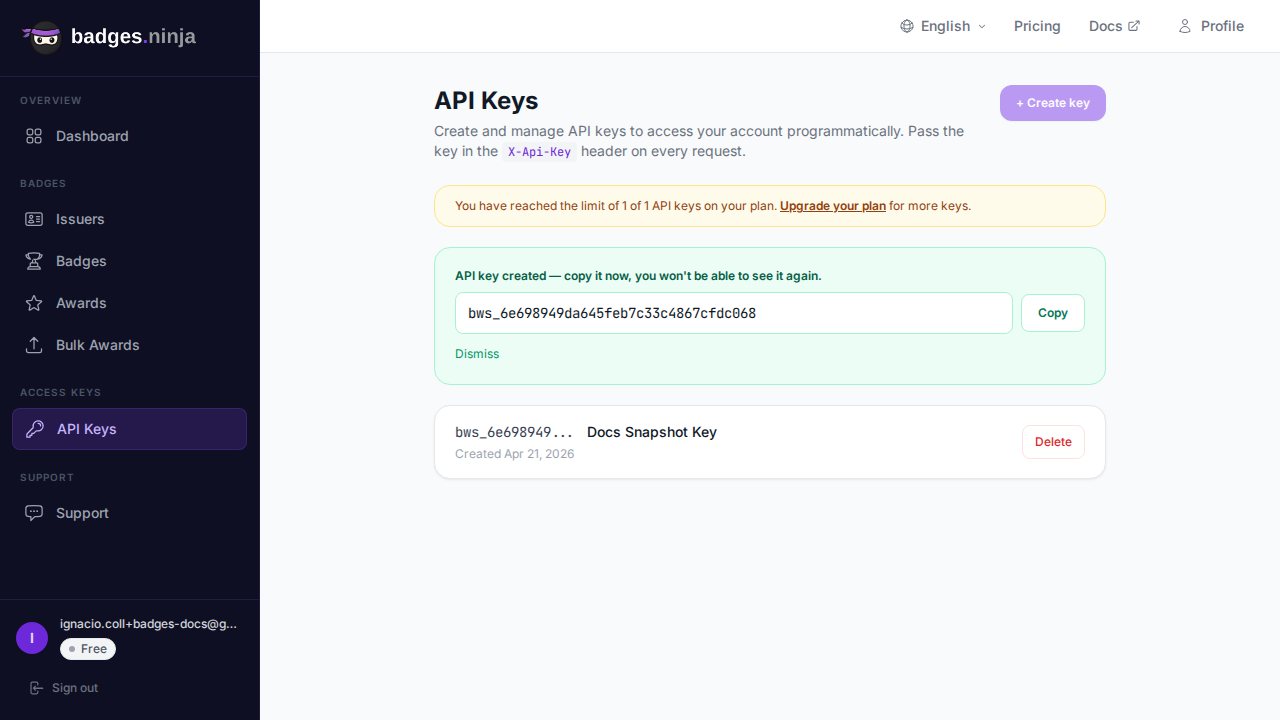
Keep this key server-side. Everything in this guide runs in PHP on your WordPress server — wp_remote_post() is a server-side call, and wp-config.php is never sent to the browser. That’s exactly what you want: the key travels server-to-server over HTTPS, and no site visitor can read it. Never move this call into client-side JavaScript — a fetch() from the browser with the key inlined would expose it to anyone via their browser’s dev tools. Two habits worth keeping: make sure your host serves wp-config.php as executed PHP (never as plaintext, and don’t leave a wp-config.php.bak copy in the webroot), and create a dedicated API key for this integration so you can revoke it independently if it’s ever compromised — without breaking your other tools.
A shared helper function keeps every LMS hook thin:
function badges_ninja_issue_award( $recipient_email, $recipient_name, $badge_id ) {
	$response = wp_remote_post( 'https://api.badges.ninja/awards', array(
		'headers' => array(
			'X-Api-Key'    => BADGES_NINJA_API_KEY,
			'Content-Type' => 'application/json',
		),
		'body' => wp_json_encode( array(
			'badgeId'   => $badge_id,
			'recipient' => array(
				'name'  => $recipient_name,  // must be at least 5 characters
				'email' => $recipient_email,
			),
			'issuedOn'  => round( microtime( true ) * 1000 ), // epoch milliseconds
		) ),
		'timeout' => 15,
	) );
	if ( is_wp_error( $response ) ) {
		error_log( 'Badges Ninja award failed: ' . $response->get_error_message() );
		return false;
	}
	$code = wp_remote_retrieve_response_code( $response );
	if ( $code >= 400 ) {
		error_log( 'Badges Ninja award failed with HTTP ' . $code . ': ' . wp_remote_retrieve_body( $response ) );
		return false;
	}
	return json_decode( wp_remote_retrieve_body( $response ), true );
}
The recipient’s email is SHA-256 hashed server-side once it reaches Badges Ninja, and the return payload includes the award’s verification URL — handy if you want to show a “view your credential” link right there in WordPress after the call succeeds.
LearnDash
LearnDash fires learndash_course_completed with a single array argument containing user and course:
add_action( 'learndash_course_completed', function( $data ) {
	$user   = $data['user'];
	$course = $data['course'];
	// Map LearnDash course ID → your Badges Ninja badge ID.
	// A simple approach: store the badge ID in a course custom field.
	$badge_id = get_post_meta( $course->ID, 'badges_ninja_badge_id', true );
	if ( ! $badge_id ) {
		return; // no badge configured for this course
	}
	badges_ninja_issue_award( $user->user_email, $user->display_name, $badge_id );
} );
Storing the badge ID as course meta (rather than a single global BADGES_NINJA_BADGE_ID constant) is the right call once you have more than one course — each course maps to its own badge design.
LifterLMS
LifterLMS fires lifterlms_course_completed with $user_id and $course_id:
add_action( 'lifterlms_course_completed', function( $user_id, $course_id ) {
	$user     = get_userdata( $user_id );
	$badge_id = get_post_meta( $course_id, 'badges_ninja_badge_id', true );
	if ( ! $user || ! $badge_id ) {
		return;
	}
	badges_ninja_issue_award( $user->user_email, $user->display_name, $badge_id );
}, 10, 2 );
Tutor LMS
Tutor LMS fires tutor_course_complete_after with the course ID, and you pull the current user from the session:
add_action( 'tutor_course_complete_after', function( $course_id ) {
	$user_id  = get_current_user_id();
	$user     = get_userdata( $user_id );
	$badge_id = get_post_meta( $course_id, 'badges_ninja_badge_id', true );
	if ( ! $user || ! $badge_id ) {
		return;
	}
	badges_ninja_issue_award( $user->user_email, $user->display_name, $badge_id );
} );
If your Tutor LMS setup fires completion from a background process (e.g. via a quiz auto-grade), swap get_current_user_id() for the user ID your specific hook provides — check the payload with error_log( print_r( func_get_args(), true ) ) once during setup to confirm the arguments.
Designing the badge before you wire the hook
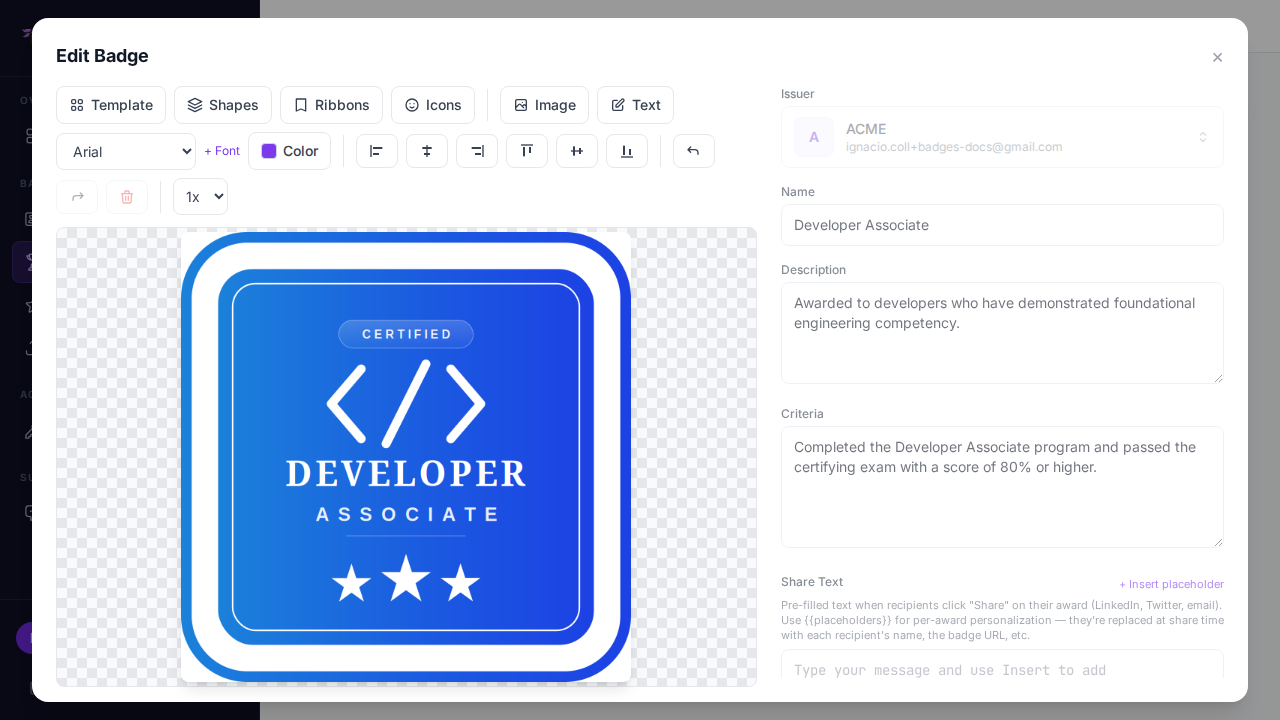
Before any of this fires, you need a badge to award. The visual designer covers this without needing a designer on staff — 80+ shape templates, custom colors, icon library, and logo upload, all snap-to-grid. If you’re new to the designer, Designing Your First Verifiable Digital Certificate walks through picking a template and shipping something recipients will actually want to share.
Once the badge exists, grab its ID from the dashboard (or via GET /badges) and drop it into your course’s custom field.
What the recipient actually gets
This is the part a homegrown WordPress badge plugin can’t replicate. When POST /awards succeeds, the recipient gets:
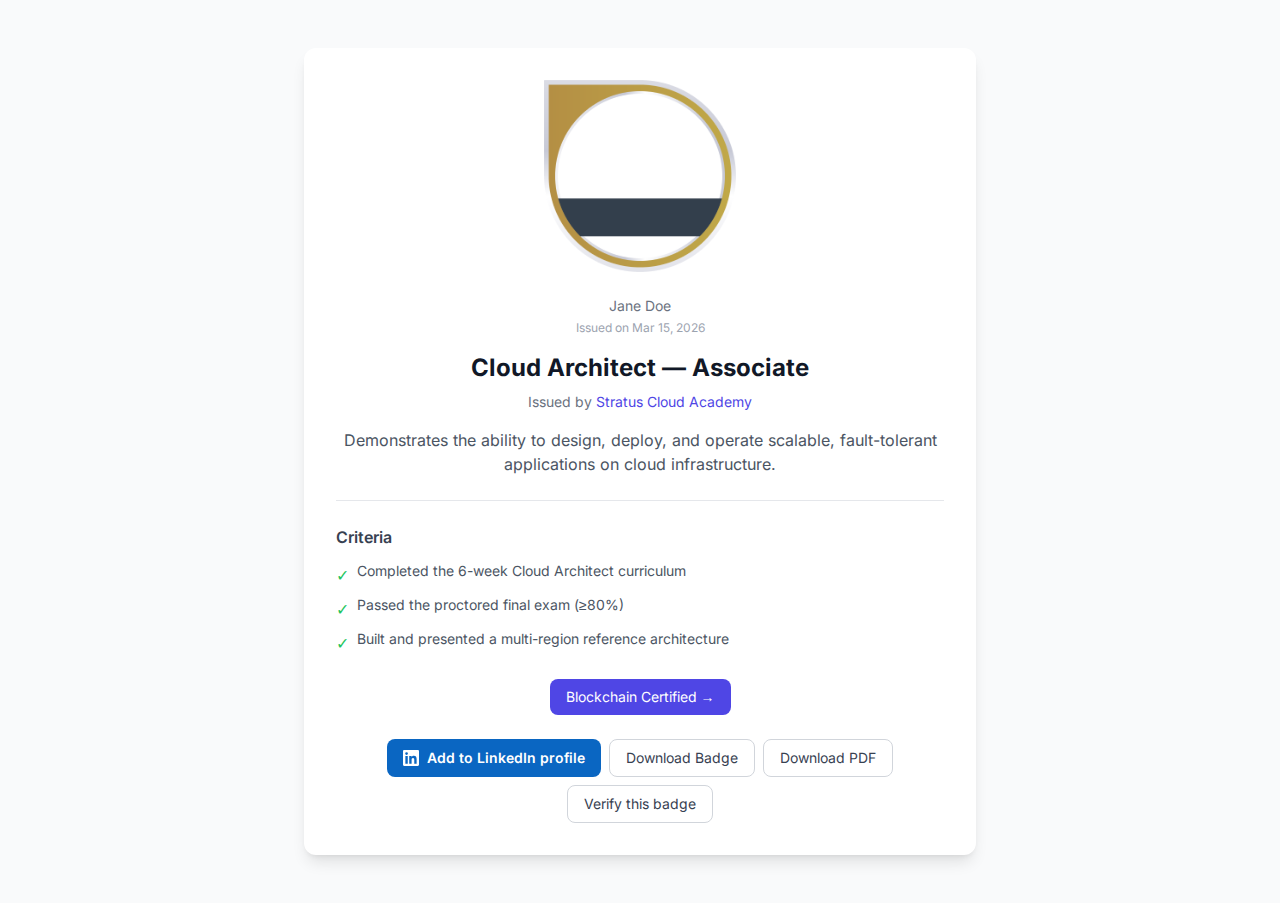
- A unique verification URL anyone can open — no WordPress login required — showing the credential is real, who issued it, and when.
- A QR code and A4 PDF certificate, generated automatically.
- An Add to LinkedIn Profile button, if your issuer has a LinkedIn organization ID set — see Add a LinkedIn “Add to Profile” Button for the one-time setup.
- Access to their own recipient portal at
badges.ninja/me, via magic-link sign-in — no password to forget, no separate account to manage on your WordPress site. - Standards-compliant Open Badge v2.0 JSON-LD, so any OB-aware verifier (not just Badges Ninja) can validate it.
None of that is WordPress’s job to build, and none of it should live only inside your WordPress database.
Handling failures gracefully
Course-completion hooks fire during a live page request, and a slow or failed API call shouldn’t block the learner’s “congratulations” screen. Two practical adjustments once you move past a proof of concept:
Don’t let a failed award block the UI. The helper function above already logs and returns false rather than throwing — LearnDash, LifterLMS, and Tutor all continue their normal completion flow regardless of what badges_ninja_issue_award() returns.
Queue it instead of calling inline, at scale. If you’re running large cohorts through a single course at once (a cohort start date, a webinar replay unlock), fire a WP-Cron scheduled event from the hook instead of calling the API synchronously:
add_action( 'learndash_course_completed', function( $data ) {
	wp_schedule_single_event( time() + 30, 'badges_ninja_deferred_award', array(
		$data['user']->user_email,
		$data['user']->display_name,
		get_post_meta( $data['course']->ID, 'badges_ninja_badge_id', true ),
	) );
} );
add_action( 'badges_ninja_deferred_award', 'badges_ninja_issue_award', 10, 3 );
This spreads the load and keeps a single slow request from becoming the learner’s problem. For genuinely large batches (an entire past cohort, migrated in one go), skip the WordPress hook path entirely and use bulk awards via CSV — upload once, and the platform paginates the issuance server-side with pause/resume built in.
A note on idempotency
If your LMS ever fires its completion hook more than once for the same user (a common LearnDash edge case with quiz retakes, or a Tutor LMS re-sync), you don’t want to award the same badge twice. The simplest guard is a WordPress user-meta flag you set right after a successful call:
if ( get_user_meta( $user_id, 'badges_ninja_awarded_' . $course_id, true ) ) {
	return; // already issued
}
$result = badges_ninja_issue_award( $user->user_email, $user->display_name, $badge_id );
if ( $result ) {
	update_user_meta( $user_id, 'badges_ninja_awarded_' . $course_id, true );
}
If you’re issuing at real volume and want this handled centrally instead of per-site, look at webhook-driven event handling or the full API quickstart for the request/response shapes across every endpoint.
When this pattern outgrows a single course
The examples above assume one badge per course. Once you’re running stackable credentials — a track badge that unlocks after several course badges, or a capstone that depends on multiple prerequisites — move the “which badge, for which completion” mapping out of post meta and into a small lookup table, or drive it from a spreadsheet-backed automation (Airtable or Google Sheets) that fires the same POST /awards call. The API call itself doesn’t change; only what decides when to make it does.
Troubleshooting the integration
A handful of issues account for most of the friction people hit wiring this up for the first time:
The hook never fires. Confirm you’re hooking the right action for your plugin’s actual version — LearnDash in particular has changed completion-hook names across major releases (older installs sometimes still rely on learndash_course_completed firing from a different code path than newer ones). Add a temporary error_log() at the top of your callback and watch wp-content/debug.log while you complete a test course as a throwaway user.
wp_remote_post() times out. Shared hosting environments sometimes block outbound HTTPS to unfamiliar hosts, or cap request timeouts below the 15 seconds set above. If calls consistently time out, check with your host whether outbound connections to api.badges.ninja are allowed, and confirm your PHP curl extension has current CA certificates — an outdated cert bundle is a common silent failure on older shared-hosting stacks.
400 Bad Request. The payload is missing a required field or has the wrong shape. POST /awards expects badgeId, a nested recipient object with name and email, and an issuedOn timestamp — the helper above sends exactly that. The most common trip-up is the recipient name: it must be at least 5 characters, so a WordPress display name like “Jo” is rejected. Fall back to the account’s full name (or email local-part) when the display name is too short.
401 Unauthorized. The API key constant isn’t loading, or it was regenerated after the constant was set. Keys are shown once at creation and can’t be retrieved again — if you’ve lost track of which key is live, delete the stale one and issue a fresh one rather than guessing.
Badge issued, but to the wrong badge design. This is almost always a stale badges_ninja_badge_id post-meta value left over from testing. Because the mapping lives on the course post, it’s easy to forget you changed it after duplicating a course for a new cohort — worth a quick check whenever you clone a course.
Duplicate awards for the same person. Covered above with the user-meta guard, but worth restating: LMS completion hooks are not guaranteed to fire exactly once. Treat “already awarded” as a normal case to check for, not an edge case to ignore.
Frequently asked questions
Does this work with WooCommerce course bundles? Yes — if a bundle purchase should trigger a badge independent of course completion (e.g. a “certified member” badge for anyone who buys a specific bundle), hook woocommerce_order_status_completed instead of an LMS completion action, and look up the badge ID from the product meta rather than a course.
Can recipients get the badge without a WordPress account? Yes, and that’s the point. The award is tied to their email address in Badges Ninja, not to a WordPress user record. If your site allows guest checkout or anonymous quiz completion, just make sure you’re capturing a real email address to pass into badges_ninja_issue_award().
What if I want to review awards before they go out? Skip firing the call directly from the completion hook. Instead, write the pending award (user, course, timestamp) to a custom table or post type, and issue it from a scheduled task or an admin “Approve & Award” button that calls the same helper function on demand.
Do I need a separate badge per course, or can one badge cover several? Either works. Some issuers create one badge per course for granularity; others create a single “program completion” badge and only award it once every required course is done, checking prerequisite completion inside the hook before calling the API.
Ready to issue your first verifiable credential? Start free at badges.ninja — visual designer, public verification page, PDF certificate, Open Badge v2.0 output. No credit card required.
To display the verified result on a page, follow embedding badge verification on your website — no iframe or SDK needed.
Related reading: Free digital badge & certificate maker → · Badges Ninja plans & pricing · Credly alternative · Certifier alternative · Cheapest Open Badges platform · Best Open Badges platforms (ranked)
About the author
Nacho Coll
Founder & Engineer at Badges Ninja
Nacho founded Badges Ninja to make issuing verifiable digital credentials as simple as a single API call — Open Badge v2.0 badges and certificates, minted, hosted, and verifiable without standing up your own issuer infrastructure. Writes about the Open Badges spec, credential verification, and running a credentialing platform serverless on AWS, from the operator side of the wire.